397
You can crop a captured JPEG image and save it as another image.
Images shot in RAW cannot be cropped. JPEG images shot with
1+73 can be cropped.
1
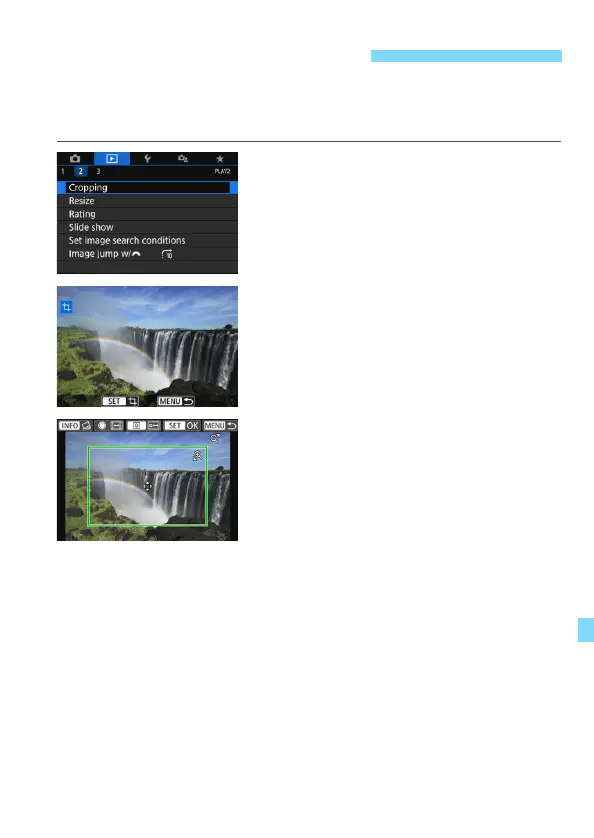
Select [Cropping].
Under the [x2] tab, select
[Cropping], then press <0>.
An image will be displayed.
2
Select an image.
Select the image you want to crop.
By pressing the <I> button, you
can switch to the index display and
select an image.
3
Set the cropping frame size,
aspect ratio, position, and tilt
correction.
Press <0> to display the cropping
frame.
The image area within the cropping
frame will be cropped.
Changing the Cropping Frame Size
Press the <u> or <I> button.
The cropping frame size will change. The smaller the cropping
frame, the more magnified the cropped image will look.
Changing the Cropping Frame Aspect Ratio
Turn the <5> dial.
Cropping frame aspect ratio will change to [3:2], [16:9], [4:3], or
[1:1].
The aspect ratio will change as you turn the <5> dial. This also
enables you to crop the image shot in horizontal orientation to look
as if it was shot in vertical orientation.
N Cropping JPEG Images



 To Next Page