287
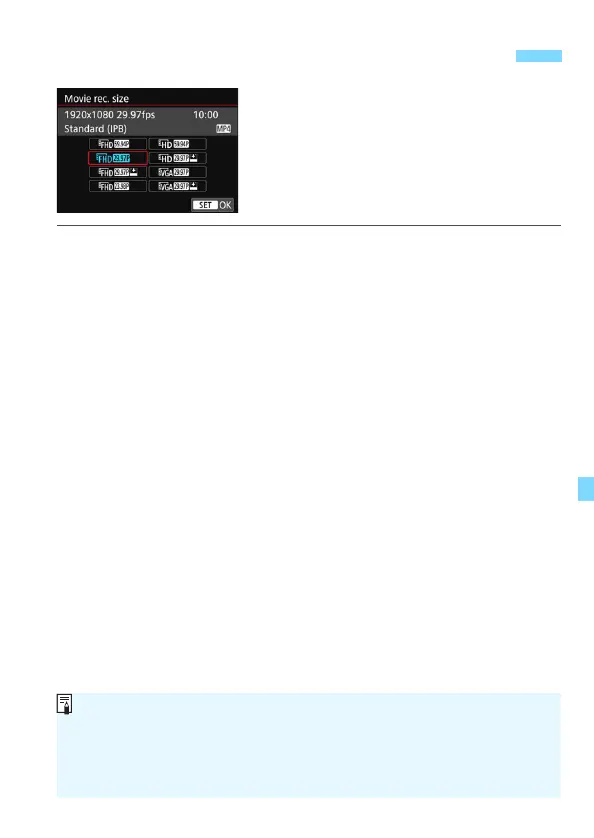
With [z1: Movie rec. size], you can set
the movie recording size (image size,
frame rate, and compression method)
and other functions.
Movies will be recorded in the MP4
format.
Image Size
L 1920x1080
Full High-Definition (Full HD) recording quality. The aspect ratio is
16:9.
w 1280x720
High-Definition (HD) recording quality. The aspect ratio is 16:9.
x 640x480
Standard-definition recording quality. The aspect ratio is 4:3.
Frame Rate (fps: frame per second)
6 29.97 fps/8 59.94 fps
For areas where the TV system is NTSC (North America, Japan,
South Korea, Mexico, etc.).
5 25.00 fps/7 50.00 fps
For areas where the TV system is PAL (Europe, Russia, China,
Australia, etc.).
4 23.98 fps
Mainly for motion pictures.
3 Setting the Movie Recording Size
The frame rate displayed on the movie recording size screen switches
depending on whether [53: Video system] is set to [For NTSC] or [For
PAL]. 4 (23.98 fps) can be selected only when [For NTSC] is set.
If you change the [53: Video system] setting, set the movie recording
size again.



 To Next Page