152
You can select the pixel count and its image quality. Nine image-
recording quality settings are provided: 73, 83, 74 , 84, 7a,
8a, b, 1+73, 1.
1
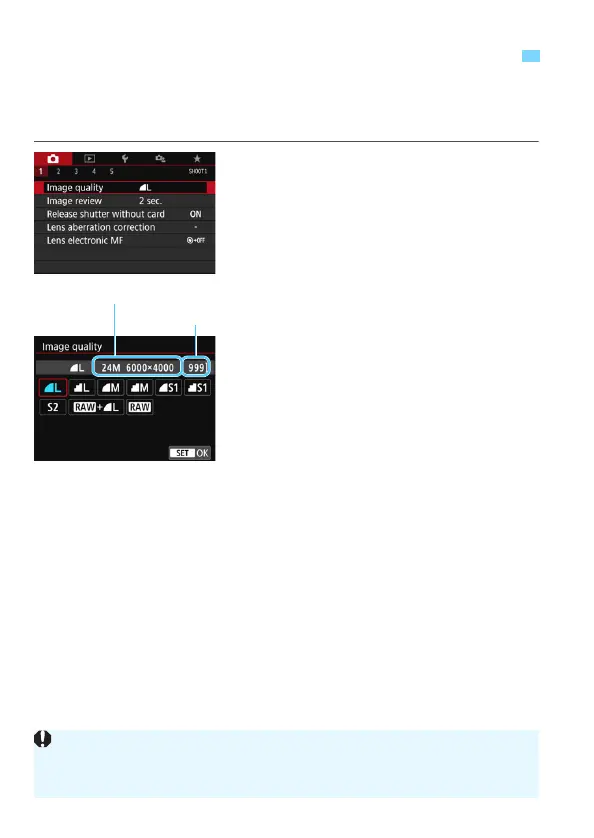
Select the image-recording
quality.
Under the [z1] tab, select [Image
quality], then press <0>.
[Image quality] will appear.
2
Set the image-recording quality.
The respective quality’s pixel count
and number of possible shots will be
displayed to help you select the
desired quality. Then press <0>.
3 Setting the Image-Recording Quality
Pixels recorded (pixel count)
Possible shots
The image size [****x****] and number of possible shots [****] displayed on
the image-recording quality setting screen always apply to the [3:2] setting
regardless of the [z5: Aspect ratio] setting (p.156).



 To Next Page