6
Quick Start Guide
1
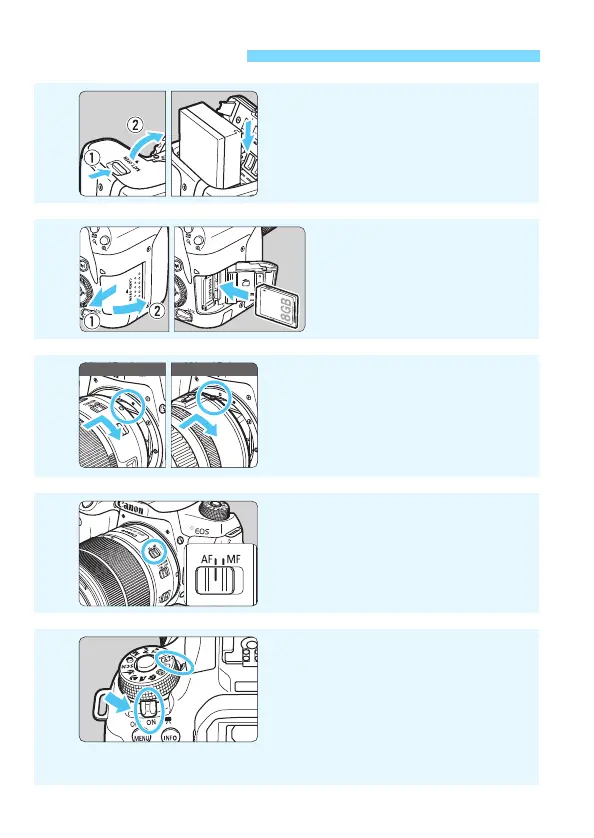
Insert the battery (p.40).
Upon purchase, charge the battery
to start using (p.38).
2
Insert the card (p.41).
With the card’s label facing
toward the back of the
camera, insert it into the
card slot.
3
Attach the lens (p.51).
Align the lens’s white or red mount
index with the camera’s mount
index of the same color to attach
the lens.
4
Set the lens’s focus mode
switch to <f> (p.51).
5
Set the power switch to <1>,
then set the Mode Dial to <A>
(Scene Intelligent Auto)
(p.84).
Turn the Mode Dial while holding down
the lock release button at the center.
All the necessary camera settings will
be set automatically.
White index Red index



 To Next Page