192
You can either freeze the action or create motion blur with the <s>
(Shutter-priority AE) mode on the Mode Dial.
*<s> stands for Time value.
1
Set the Mode Dial to <s>.
2
Set the desired shutter speed.
While looking at the LCD panel or in
the viewfinder, turn the <6> dial.
See “Shooting Tips” on the next page
for advice on setting the shutter
speed.
Turning the <6> dial clockwise sets
a faster shutter speed, and turning it
counterclockwise sets a slower one.
3
Take the picture.
When you focus and press the
shutter button completely, the picture
will be taken at the set shutter speed.
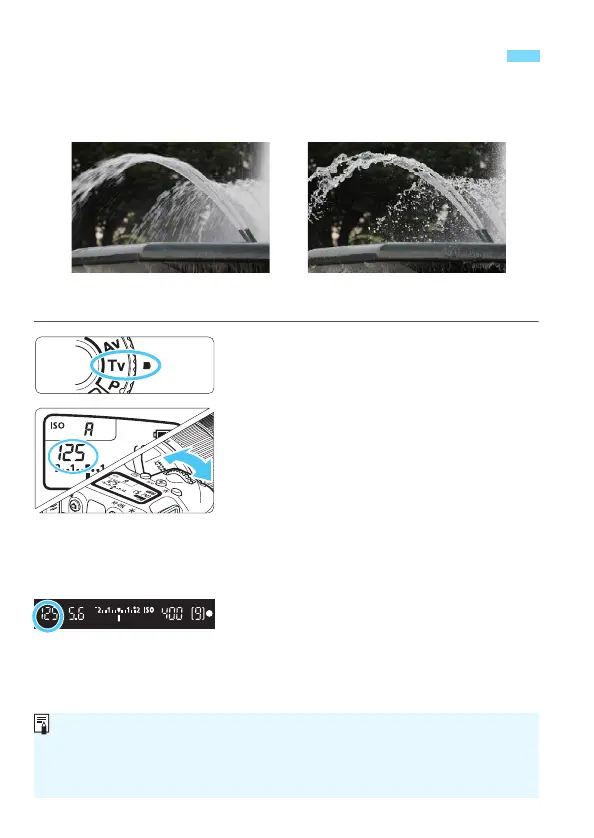
s: Conveying the Subject’s Movement
Blurred motion
(Slow shutter speed: 1/30 sec.)
Frozen motion
(Fast shutter speed: 1/2000 sec.)
Shutter Speed Display
The LCD monitor displays the shutter speed as a fraction. However, the
LCD panel and the viewfinder display only the denominator. “0"5” indicates
0.5 sec. and “15"” is 15 sec.



 To Next Page