366
You can automatically play back all the images on the card one after
another.
1
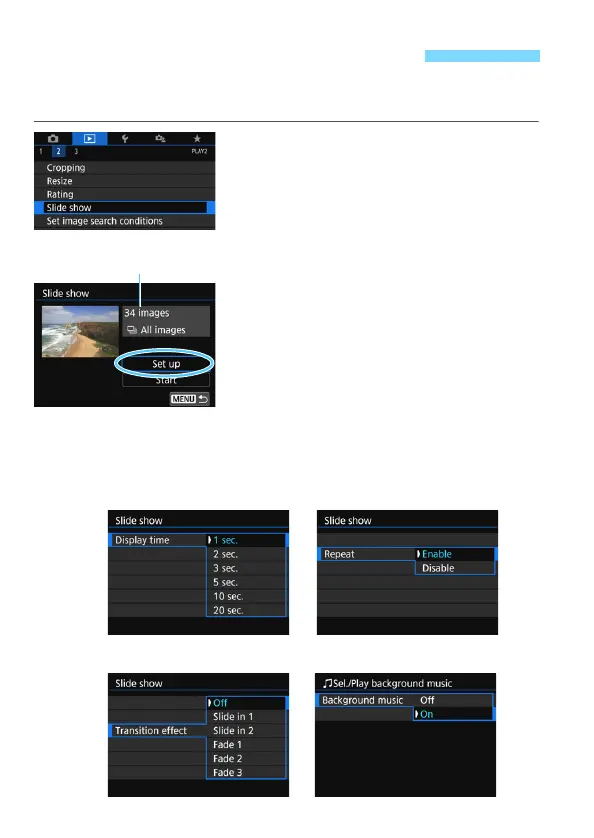
Select [Slide show].
Under the [x2] tab, select [Slide
show], then press <0>.
2
Configure [Set up] as desired.
Press the <W> <X> keys to select
[Set up], then press <0>.
Set the [Display time], [Repeat]
(repeated playback), [Transition
effect] (effect when changing
images), and [Background music]
for the still photos.
See page 368 for the background
music selection procedure.
After completing the settings, press
the <M> button.
3 Slide Show (Auto Playback)
Number of images
to be played back
[Transition effect][Background music]



 To Next Page