201
BULB: Long (Bulb) Exposures
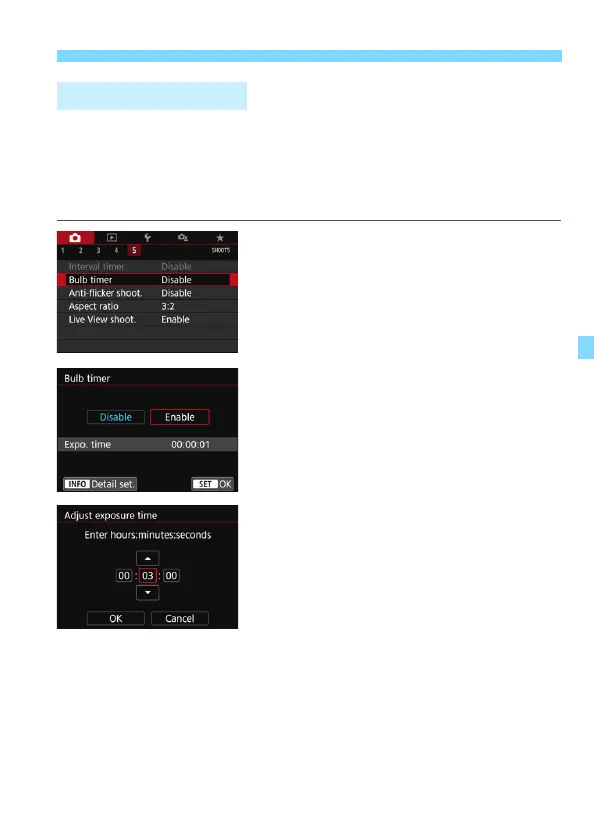
You can preset the bulb exposure’s exposure time. With the bulb timer,
you need not keep holding down the shutter button during the bulb
exposure. This reduces camera shake.
The bulb timer can be set only for <BULB> (bulb exposure). It cannot
be set (or will not function) in any other mode.
1
Select [Bulb timer].
Under the [z5] tab, select [Bulb
timer], then press <0>.
2
Select [Enable].
Select [Enable], then press the
<B> button.
3
Set the desired exposure time.
Select the hour, minute, or second.
Press <0> so <r> is displayed.
Set the desired number, then press
<0>. (Returns to <s>.)
p Bulb TimerN



 To Next Page