233
Easy Wireless Flash PhotographyN
4
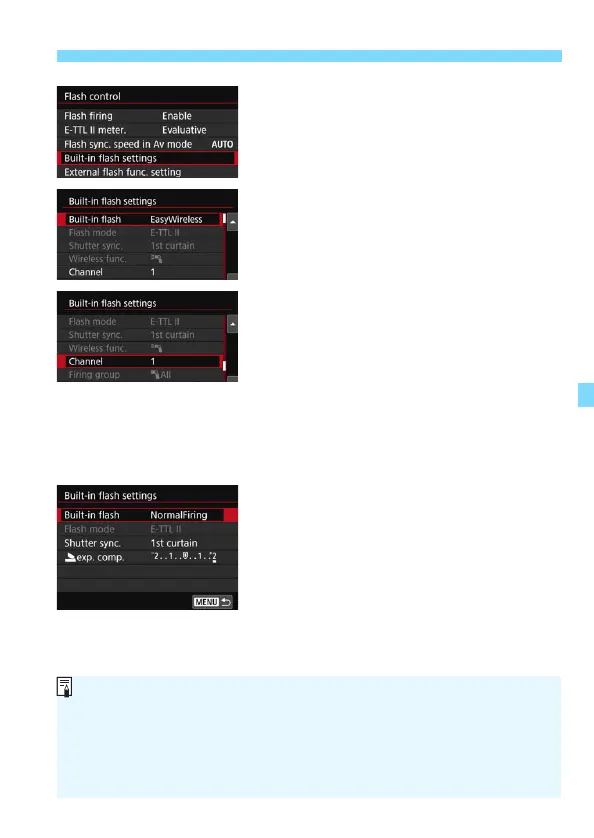
Select [Built-in flash settings].
Select [Built-in flash settings], then
press <0>.
5
Select [EasyWireless].
For [Built-in flash], select
[EasyWireless], then press <0>.
6
Set [Channel].
Set the transmission channel (1-4) to
the same one as the slave unit.
7
Take the picture.
Set the camera and take the picture
in the same way as with normal flash
photography.
8
Exit the wireless flash
photography.
For [Built-in flash], select
[NormalFiring].
Setting [E-TTL II meter.] to [Evaluative] is recommended.
Even if the firing of the built-in flash is disabled when [EasyWireless] is
set, it will still fire a small flash in order to control the slave unit.
Depending on shooting conditions, the flash fired to control the slave unit
may appear in the picture.
Test flash firing function is not available with the slave unit.



 To Next Page