425
Remote Control Shooting
2
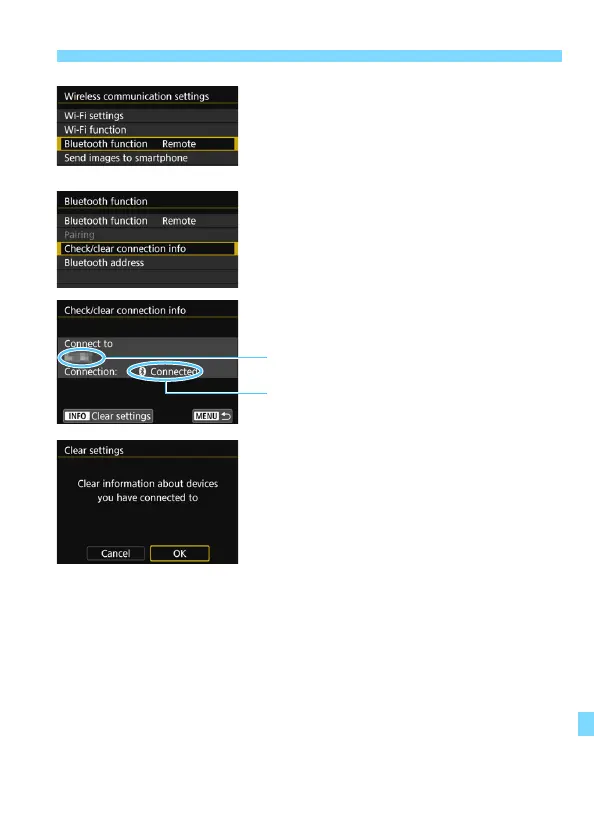
Select [Bluetooth function].
3
Select [Check/clear connection
info].
4
Press the <B> button.
5
Clear the connection information.
Select [OK], then press <0>.
The remote controller’s connection
information will be cleared.
Bluetooth address of the remote controller
[Connecting...] is displayed when the remote
controller is not being operated.



 To Next Page