447
3 Menu Settings
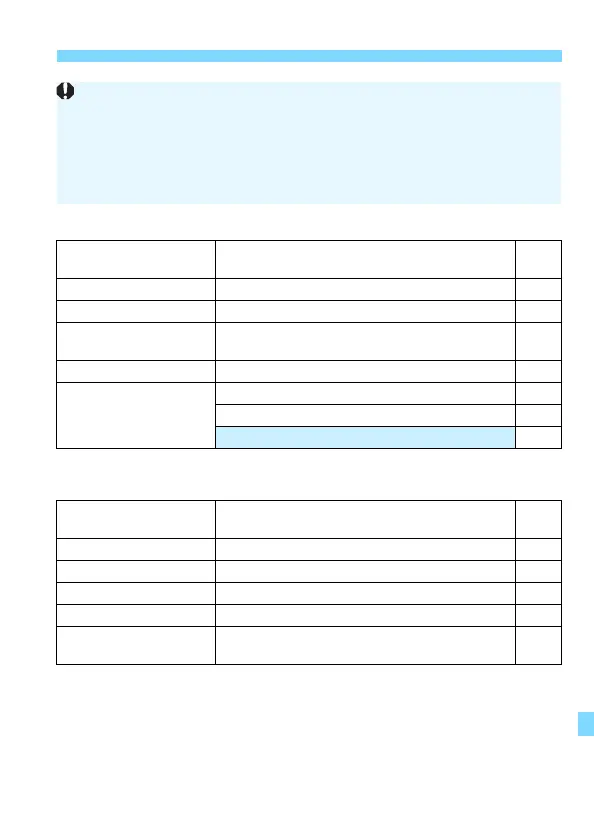
5: Set-up 2 (Yellow) Page
* Not displayed for Live View shooting or movie shooting.
5: Set-up 3 (Yellow)
* Not displayed for Live View shooting or movie shooting.
Auto power off
10 sec/30 sec / 30 sec. / 1 min. / 2 min. /
4 min. / 8 min. / 15 min. / Disable
325
LCD brightness
Adjust the brightness (seven levels) 326
LCD auto off*
Enable / Disable 338
Date/Time/Zone
Date (year, month, day) / Time (hour, min., sec.) /
Daylight saving time / Time zone
47
Language K
Select the interface language 50
Viewfinder display*
Electronic level: Hide / Show 78
Grid display: Hide / Show 80
Flicker detection: Show / Hide 81
GPS device settings
Settings available when the GPS Receiver
GP-E2 (sold separately) is attached
-
Video system
For NTSC / For PAL 369
Touch control
Standard / Sensitive / Disable 73
Beep
Enable / Touch n / Disable 324
Battery information
Remaining capacity / Recharge performance 421
z button display
options*
Electronic level / Quick Control screen 420
When using a wireless communication function, be sure to check the
countries and areas of use, and observe the laws and regulations of the
country or region.
[51: Wireless communication settings] cannot be selected if the
camera is connected to a computer, GPS receiver, or another device with
an interface cable.



 To Next Page