3 Setting the Date, Time, and Zone
48
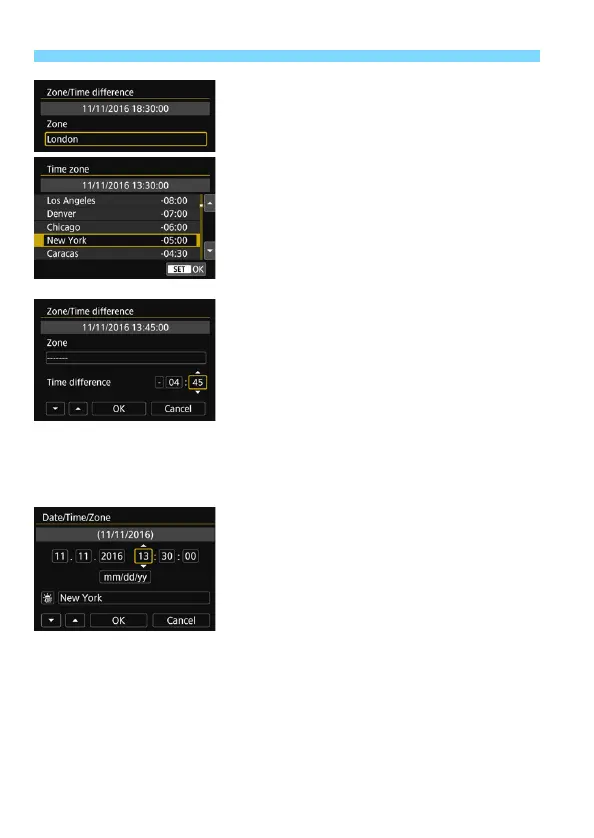
Press <0> again.
Press the <W> <X> keys to select
the time zone, then press <0>.
If your desired time zone is not listed,
press the <M> button, then
proceed to the next step to set it (with
the time difference from the
Coordinated Universal Time, UTC).
To set the time difference from UTC,
press the <Y> <Z> keys to select a
parameter (+/-/hour/minute) for [Time
difference].
Press <0> so <r> is displayed.
Press the <W> <X> keys to set it,
then press <0>. (Returns to <s>.)
After entering the time zone or time
difference, press the <Y> <Z> keys
to select [OK], then press <0>.
4
Set the date and time.
Press the <Y> <Z> keys to select
the number.
Press <0> so <r> is displayed.
Press the <W> <X> keys to set it,
then press <0>. (Returns to <s>.)



 To Next Page