79
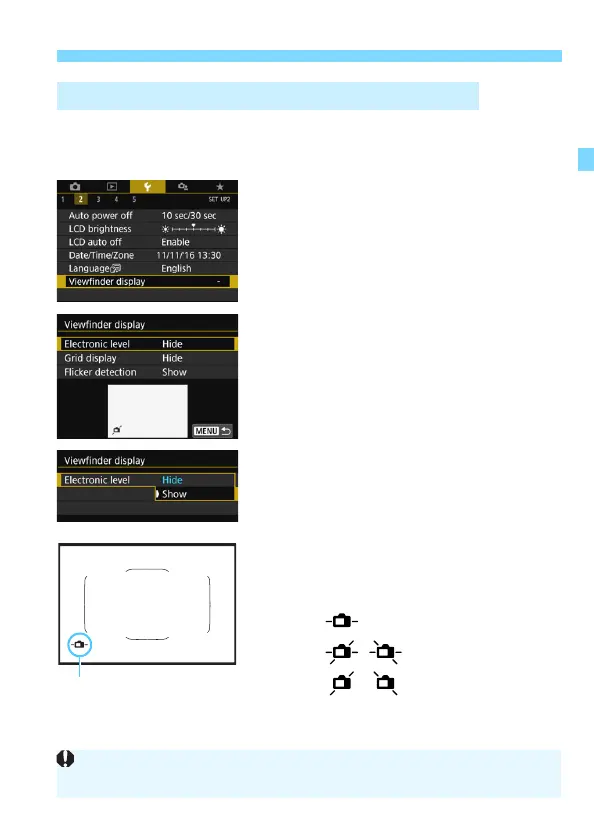
3 Displaying the Electronic Level
A simple electronic level using a camera icon can be displayed in the
viewfinder. Since this indicator is displayed during shooting, you can
take the picture while checking the camera tilt.
1
Select [Viewfinder display].
Under the [52] tab, select
[Viewfinder display], then press
<0>.
2
Select [Electronic level].
3
Select [Show].
4
Press the shutter button halfway.
The electronic level will appear at the
position shown in the illustration.
This level also works with vertical
shooting.
Displaying the Electronic Level in the Viewfinder
Horizontal
Tilt 1°
Tilt 2° or higher
Even when the tilt is almost corrected, there may be a margin of error of
approx. ±1°.



 To Next Page