91
C Creative Auto Shooting
If you set (1) or (2) when the camera is set for Live View shooting, you
can see the effect on the screen before you start shooting.
(1) Ambience-based shots
You can select and shoot with the ambience you want to convey in
your images. Turn the <6> or <5> dial to select the ambience.
You can also select it from a list by pressing <0>. For details, see
page 94.
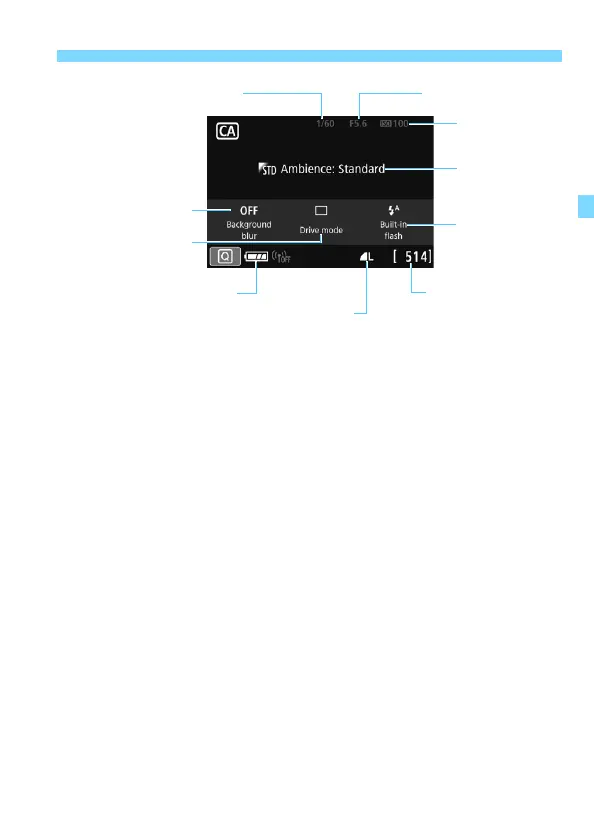
Shutter speed
(1)
(2)
Battery level
Possible shots
ISO speed
Image-recording quality
Aperture
(4)
(3)



 To Next Page