103
Shooting with Filter Effects Applied
You can shoot with fi lter eff ects applied. In Live View shooting, you can
preview fi lter eff ects before shooting.
1
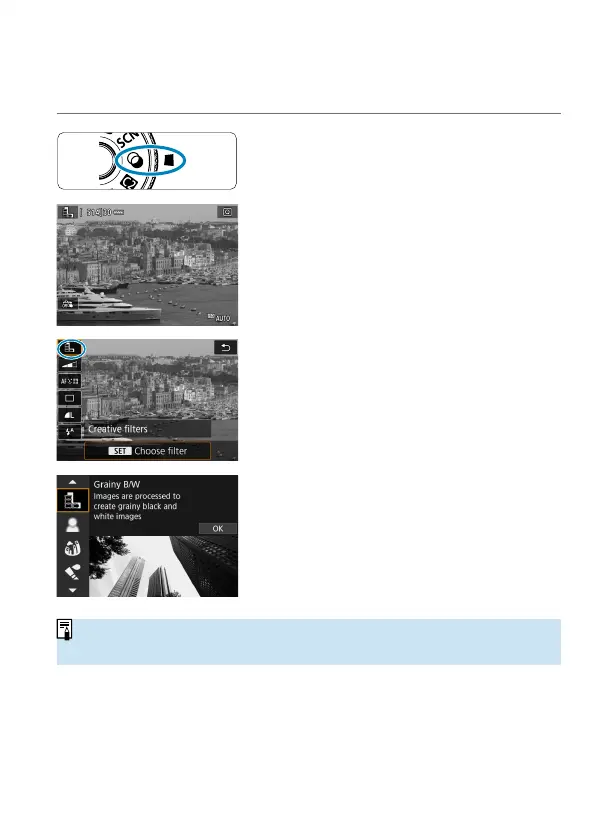
Set the Mode dial to <U>.
2
Display the Live View image.
Set the Live View shooting/Movie
shooting switch to <
A
>, then press the
<
0
> button.
3
Select [ Creative fi lters] on the
Quick Control screen.
Press the <
Q
> button. (
7
)
Use the <
W
> <
X
> keys to select an
icon in the upper left, then press <
0
>.
4
Select a fi lter eff ect.
Use the <
W
> <
X
> keys to select a fi lter
eff ect (
=
104–
=
106), then press
<
0
>.
The image is shown with the fi lter eff ect
applied.
o
If you prefer to confi gure the setting without a Live View preview, press the
<
Q
> button after step 1 and select [Choose fi lter].



 To Next Page