243
M
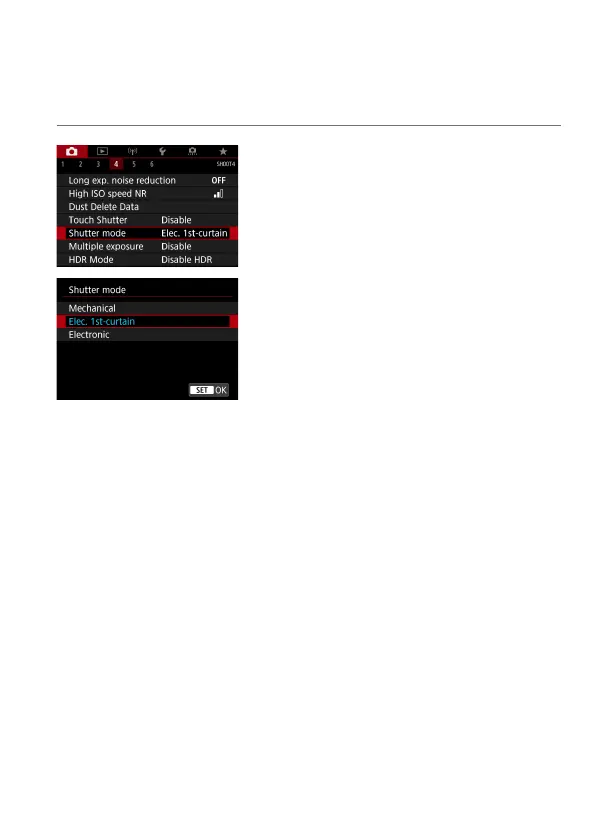
Shutter Release Method (Live View
Shooting)
You can choose how the shutter is released in Live View shooting.
1
Select [z: Shutter mode].
2
Select an item.
Mechanical
Shooting activates the mechanical shutter. Be sure to set it to
[Mechanical] if you use a TS-E lens (except TS-E17mm f/4L or
TS-E24mm f/3.5L II) for shifting or tilting the lens or if you use an
extension tube. If [Elec. 1st-curtain] or [Electronic] is set, the standard
exposure may not be obtained, or an irregular exposure may result.
Elec. 1st-curtain
Shooting only activates the second-curtain shutter. The shutter is quieter
than with [Mechanical].
Electronic
Enables you to shoot at a maximum 1/16000 sec. shutter speed without a
shutter sound.
Available with drive modes other than <
o
>, <
i
>, or <
q
>.
Flash photography is not possible.



 To Next Page