47
Inserting/Removing the Battery
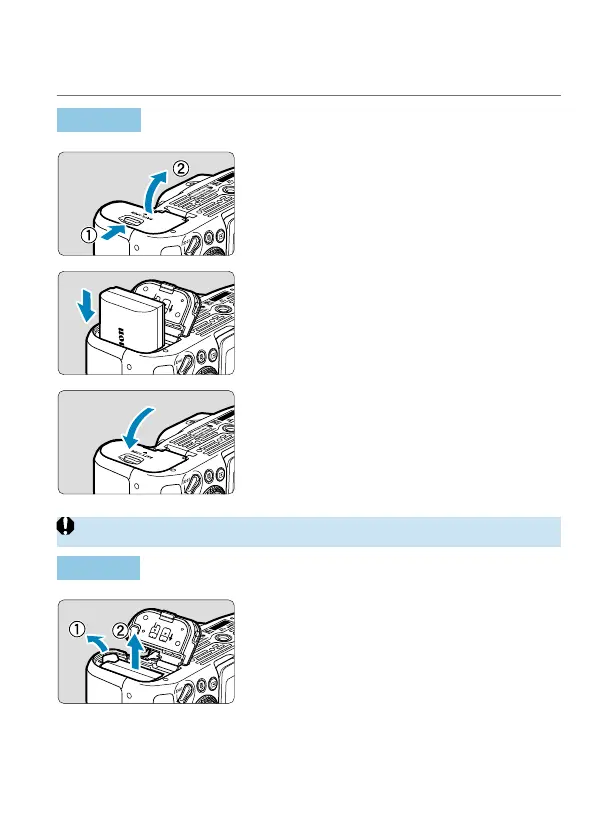
Insert a fully-charged Battery Pack LP-E6N (or LP-E6) into the camera.
Insertion
1
Slide the battery compartment
cover lock and open the cover.
2
Insert the battery.
Insert the end with the electrical
contacts.
Insert the battery until it locks in place.
3
Close the cover.
Press the cover until it snaps shut.
o
You cannot use batteries other than the Battery Pack LP-E6N or LP-E6.
Removal
Open the cover and remove the
battery.
Press the battery lock lever as shown by
the arrow and remove the battery.
To prevent short-circuits, always attach
the included protective cover (
=
44)
to the battery.



 To Next Page