346
Protecting images
You can protect important images from being accidentally erased.
Protecting a Single Image
1
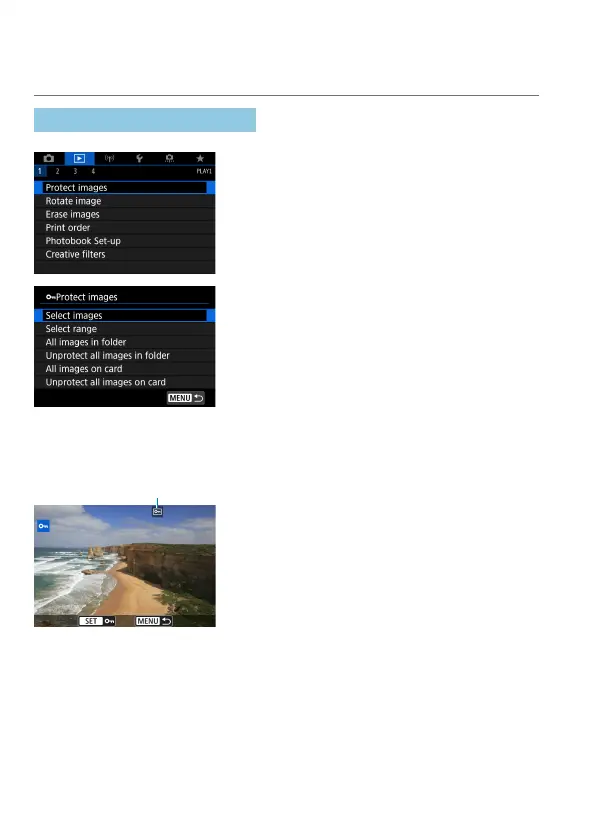
Select [3: Protect images].
2
Select [Select images].
3
Select an image.
Turn the <
5
> dial to select the image
to be protected.
(1)
4
Protect the image.
Press <
0
> to protect the selected
image. The <
K
> icon (1) will appear at
the top of the screen.
To cancel the image protection, press
<
0
> again. The <
K
> icon will
disappear.
To protect another image, repeat steps 3
and 4.



 To Next Page