563
Custom Function Setting Items
C.Fn II-6: Lens drive when AF impossible
You can specify lens operation in cases when the camera cannot autofocus
on a subject.
0: Continue focus search
If focus cannot be achieved with autofocus, the lens is driven to search
for the precise focus.
1: Stop focus search
If autofocus starts and the focus is far off or if focus cannot be achieved,
the lens drive will not be performed. This prevents the lens from
becoming grossly out of focus due to the focus search drive.
o
[1:Stop focus search] is recommended for super telephoto lenses or other
lens that cover a large area, to avoid signifi
cant delay from focus search drive
if the lens becomes greatly out of focus.
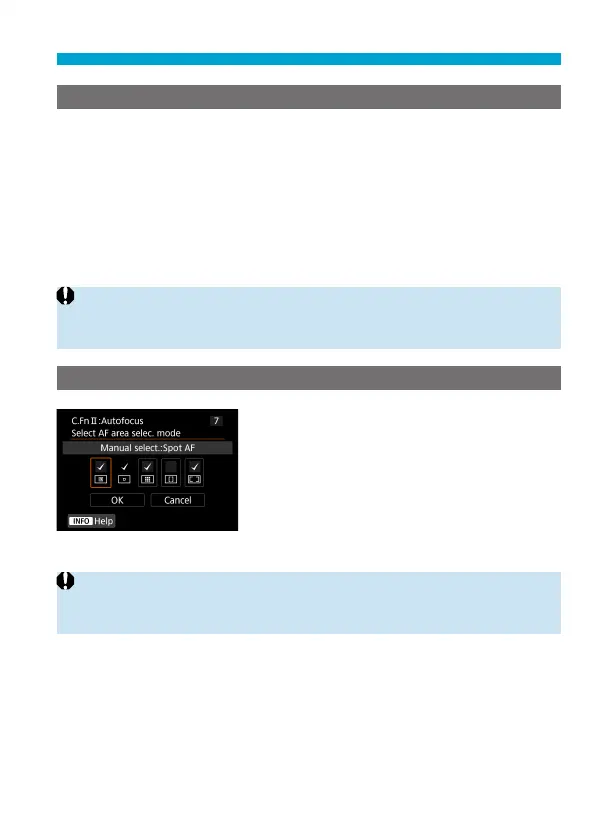
C.Fn II-7: Select AF area selection mode
You can limit the selectable AF area
selection modes to suit your shooting
preferences. Select the desired AF area
selection mode and press <
0
> to add a
checkmark [
X
]. Select [OK] to register the
setting.
The AF area selection modes are described
on
=
128–
=
129.
o
The [
X
] mark cannot be removed from [Manual selection:1 pt AF].
o
You cannot use certain AF area selection modes even if you add a checkmark
[
X
] in [Select AF area selec. mode].



 To Next Page