110
Program AE
The camera automatically sets the shutter speed and aperture to suit the
subject’s brightness.
* <
d
> stands for Program.
* AE stands for Auto Exposure.
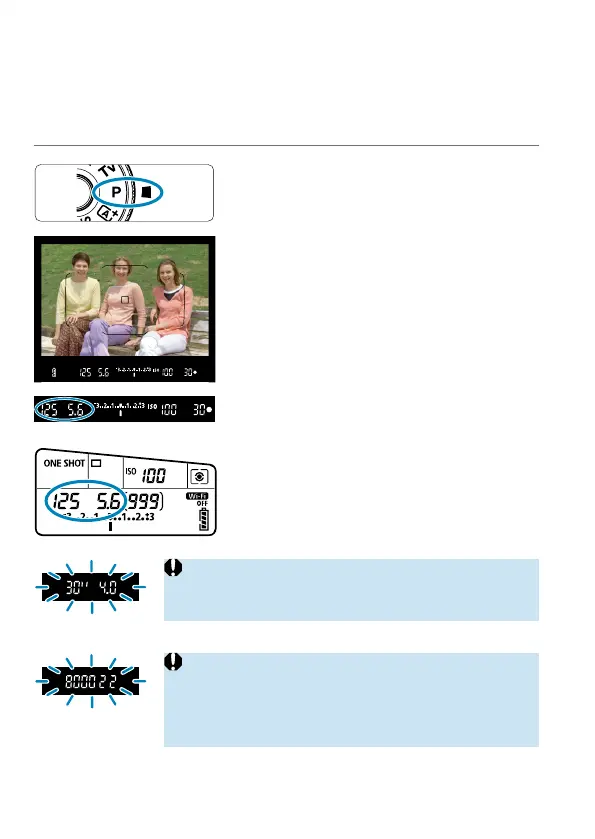
1
Set the Mode dial to <d>.
2
Focus on the subject.
Aim the AF point over the subject and
press the shutter button halfway.
3
Check the display and shoot.
As long as the exposure value is not
blinking, standard exposure will be
obtained.
o
If the “30"” shutter speed and the lowest f/number blink,
it indicates underexposure.
Increase the ISO speed or use fl ash.
o
If the “8000” shutter speed and the highest f/number
blink, it indicates overexposure.
Lower the ISO speed or use an ND fi lter (sold
separately) to reduce the amount of light entering the
lens.



 To Next Page