44
Charging the Battery
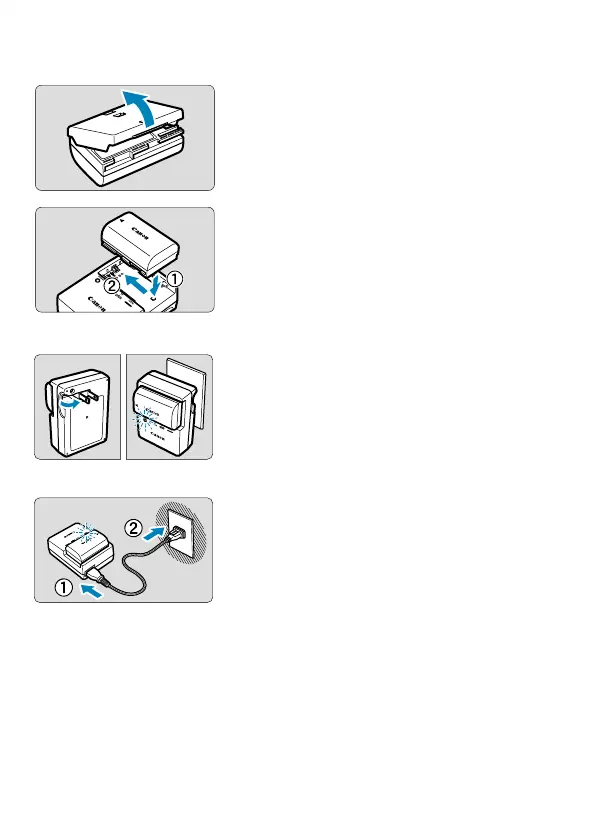
1
Detach the protective cover
provided with the battery.
2
Insert the battery in the charger.
Do the opposite to remove the battery.
LC-E6
LC-E6E
3
Recharge the battery.
For LC-E6
As shown by the arrow, fl ip out the
battery charger’s prongs and insert the
prongs into a power outlet.
For LC-E6E
Connect the power cord to the charger
and insert the plug into a power outlet.
Recharging starts automatically and the
charge lamp blinks in orange.



 To Next Page