70
Touch-Screen Operation
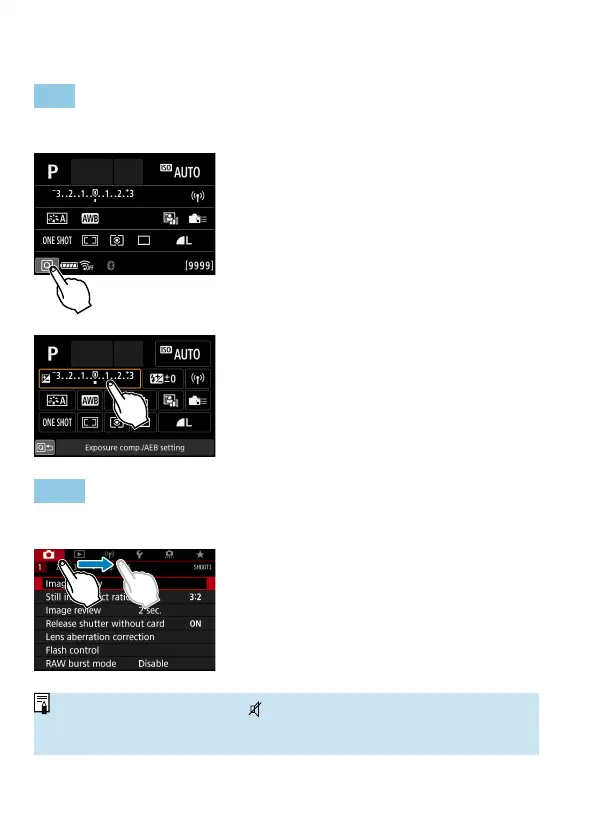
Tap
Sample screen (Quick Control)
Use your fi nger to tap on (touch briefl y
and then remove your fi nger from) the
screen.
For example, when you tap on [
Q
],
the Quick Control screen appears. By
tapping on [
Q
], you can return to the
preceding screen.
Drag
Sample screen (Menu screen)
Slide your fi nger while touching the
screen.
o
If [
5
: Beep] is set to [Touch
] or [Disable], the beep will not sound for
touch operations (
=
522).
o
Touch control settings can be adjusted in [
5
: Touch control] (
=
521).



 To Next Page