482
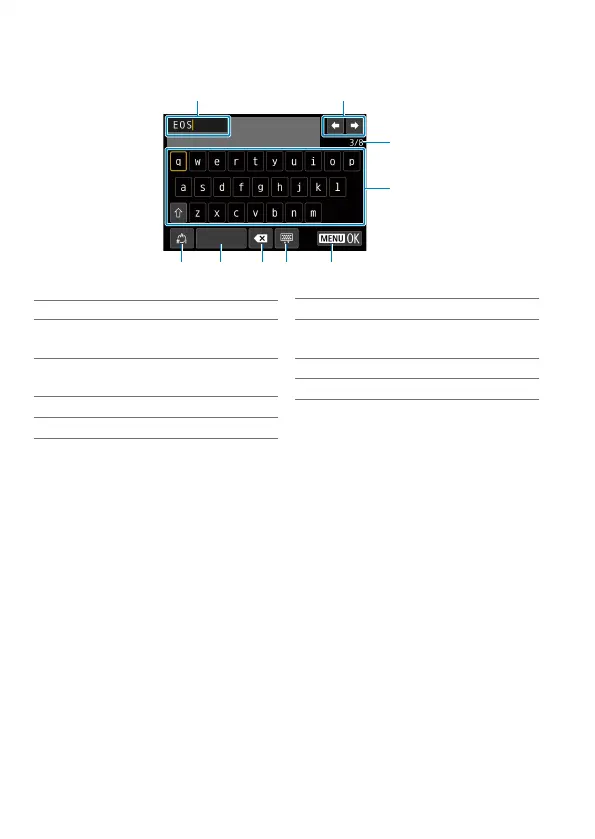
Virtual Keyboard Operations
(1) (2)
(3
(4
(5) (7) (8) (9)
(6)
(1) Input area, for entering text
(2) Cursor keys, for moving in the
input area
(3) Current no. of characters/no.
available
(4) Keyboard
(5) Switch input modes
(6) Space
(7) Delete a character in the input
area
(8) Change the type of keyboard
(9) Finish the text entry
Use <
j
> <
9
> to move within 2 and 4–8.
Press <
0
> to confi rm input or when switching input modes.



 To Next Page