211
M
Auto Exposure Bracketing (AEB)
You can capture three images at diff erent shutter speeds, aperture values,
and ISO speeds, as adjusted by the camera. This is called AEB.
* AEB stands for Auto Exposure Bracketing.
1
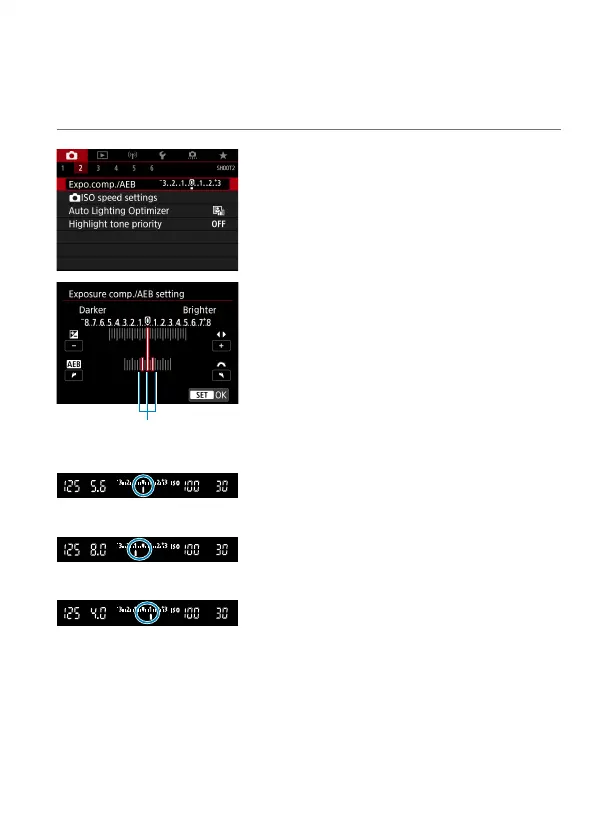
Select [z: Expo.comp./AEB].
(1)
2
Set the AEB range.
Turn the <
6
> dial to set the AEB
range (1). Press the <
Y
> <
Z
> keys to
set the exposure compensation level.
Press <
0
> to set it.
When you close the menu, the AEB
range will be displayed on the screen.
Standard exposure
Decreased exposure
Increased exposure
3
Take the picture.
Three bracketed shots will be taken
according to the drive mode set in
this sequence: Standard exposure,
decreased exposure, and increased
exposure.
AEB will not be automatically canceled.
To cancel AEB, follow step 2 to turn off
the AEB range display.



 To Next Page