6
Quick Start Guide
1
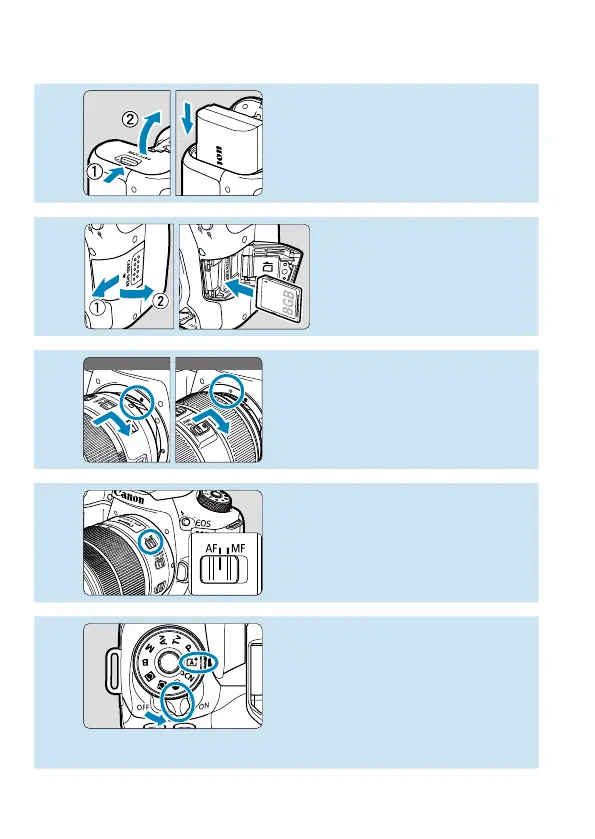
Insert the battery (
=
47).
Upon purchase, charge the battery
to start using (
=
44).
2
Insert the card (
=
48).
With the card’s label facing
toward the back of the
camera, insert it into the
card slot.
3
White index Red index
Attach the lens (
=
54).
Align the mount indexes on the lens
and camera (red or white) to attach
the lens.
4
Set the lens’s focus mode
switch to <AF> (
=
54).
5
Set the power switch to <
1
>,
then set the Mode dial to <
A
>
(
=
52).
Turn the Mode dial while holding
down the center.
All the necessary camera settings
will be set automatically.



 To Next Page