532
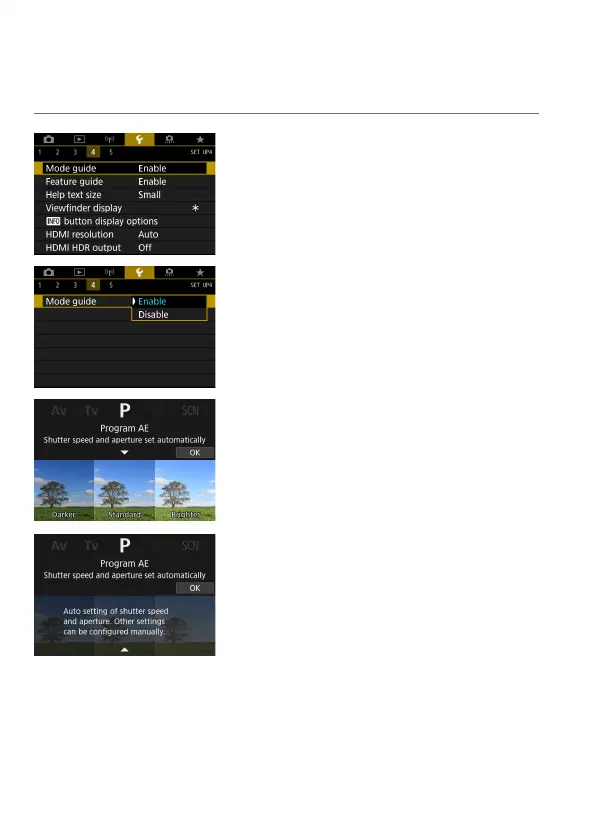
Displaying the Shooting Mode Guide
A brief description of the shooting mode can be displayed when you switch
shooting modes.
1
Select [5: Mode guide].
2
Select [Enable].
3
Turn the Mode dial.
A brief description of the selected
shooting mode is displayed.
To display more details, press the <
X
>
key.
To clear the mode guide, press <
0
>.
In <
8
> or <
U
> mode, the shooting
mode selection screen is displayed.



 To Next Page