137
Selecting the AF Method (Live View Shooting)
Selecting the AF Method
1
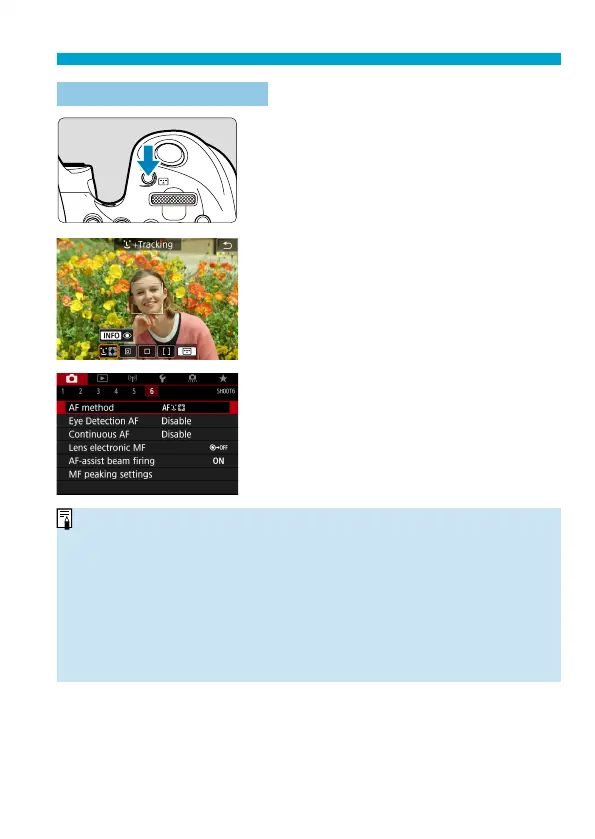
Press the <G> button.
2
Select the AF method.
Each time you press the <
G
> button,
the AF method changes.
You can also make your selection from
[
z
: AF method].
o
In <
A
> mode, [
u
+Tracking] is set automatically.
o
In <
r
> mode, only [1-point AF] or [Zone AF] can be set.
o
The descriptions on
=
138–
=
141 assume that the AF operation is set to
[One-Shot AF] (
=
125). With [Servo AF]
(
=
125) set, the AF point will
turn blue when focus is achieved.
o
Regarding the Touch Shutter (AF and shutter release by touch operation), see
=
72.
o
With [
8
C.Fn II-9: AF area selection method] set to [1:
G
9
Main dial], you
can select the AF method by pressing the <
G
> button and then turning the
<
6
> dial.


 To Next Page