232
Picture Style Selection
Symbols
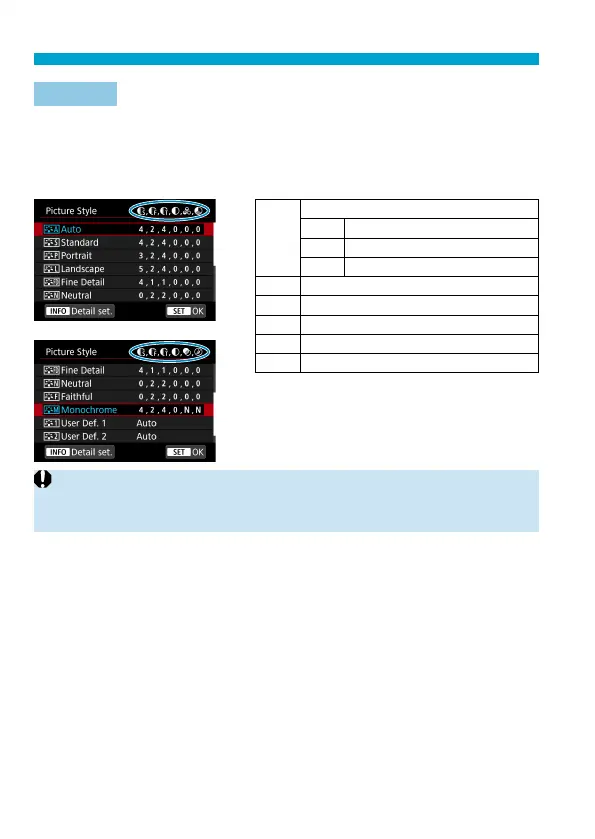
The Picture Style selection screen has icons for [Strength], [Fineness], or
[Threshold] for [Sharpness] as well as [Contrast] and other settings. The
numbers indicate the values for these settings specifi ed for the respective
Picture Style.
g
Sharpness
A
Strength
B
Fineness
C
Threshold
h
Contrast
i
Saturation
j
Color tone
k
Filter eff ect (Monochrome)
l
Toning eff ect (Monochrome)
o
During movie recording, an asterisk “*” will be displayed for both [Fineness]
and [Threshold] for [Sharpness]. [Fineness] and [Threshold] will not be
applied to movies.



 To Next Page