237
Picture Style Registration
5
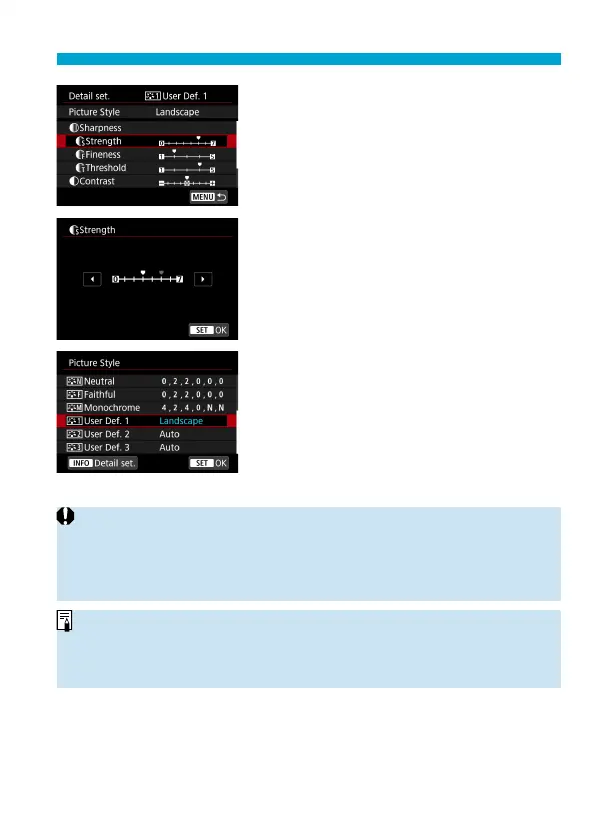
Select an item.
6
Set the eff ect level.
For details, see “Picture Style
Customization” (
=
233).
Press the <
M
> button to save the
adjusted setting and return to the Picture
Style selection screen.
The base Picture Style will be indicated
on the right of [User Def. *].
Blue style names indicate that you
have changed the settings from default
values.
o
If a Picture Style is already registered under [User Def. *], changing the base
Picture Style will clear the parameter settings of the previously registered User
Defi ned Picture Style.
o
If you perform [
5
: Clear all camera settings] (
=
547), all the [User Def. *]
settings will revert to their defaults.
o
To shoot with a registered Picture Style, select the registered [User Def. *],
then shoot.
o
Regarding the procedure to register a Picture Style fi le to the camera, refer to
the EOS Utility Instruction Manual.



 To Next Page