259
Interval Timer Shooting
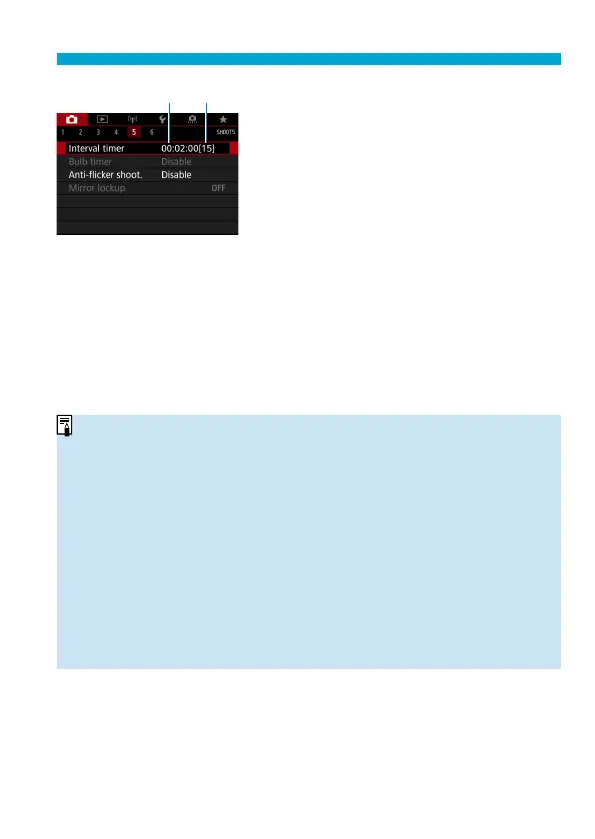
(1) (2)
4
Select [OK].
The interval timer settings will be
displayed on the menu screen.
(1) Interval
(2) Number of shots
5
Take the picture.
First shot is taken and shooting
continues according to the interval timer
settings.
During interval timer shooting, <
H
>
will blink on the LCD panel.
After the set number of shots are taken,
the interval timer shooting will stop and
be automatically canceled.
o
Using a tripod is recommended.
o
Taking test shots in advance is recommended.
o
Even during interval timer shooting, you can still shoot as usual by pressing
the shutter button completely. Note that the camera will prepare for the next
interval timer shot approx. 5 sec. in advance, which will temporarily prevent
operations such as adjusting shooting settings, accessing menus, and playing
back images.
o
If the next scheduled interval timer shot is not possible becau
se the camera is
shooting or processing images, it will be skipped.
o
Even during interval timer operation, auto power off
is triggered after approx.
8 sec. of inactivity, as long as [
5
: Auto power off ] is not set to [Disable]
. The
camera will automatically turn on again approx. 1 min. before the next shot.
o
Can also be combined with AEB, white balance bracketing, multiple
exposures, and HDR mode.
o
To stop interval timer shooting, set the power switch to <
2
>.


 To Next Page
 Loading...











