341
Editing a Movie’s First and Last Scenes
(1) (2)
5
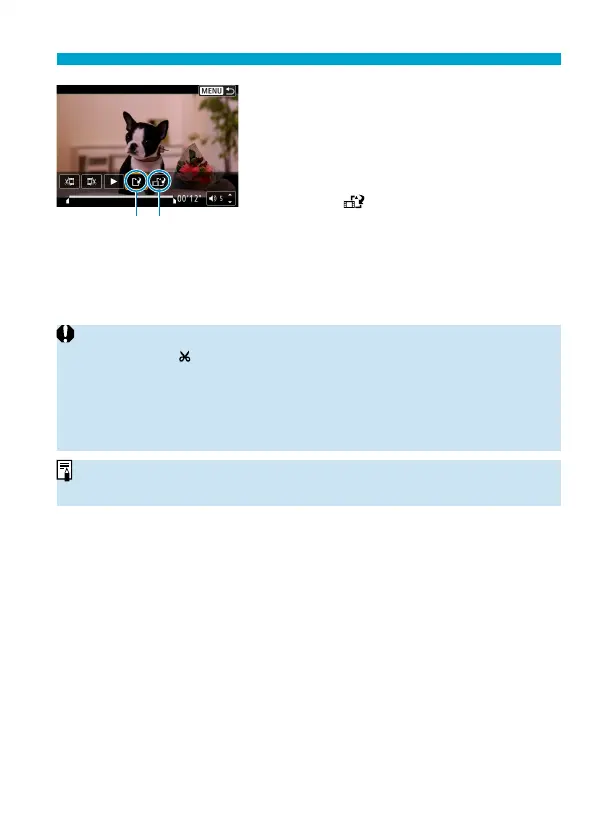
Save the image.
Select [
W
] (1).
The save screen will appear.
To save it as a new movie, select [New
fi le]. To save it and overwrite the original
movie fi le, select [Overwrite].
Select [
] (2) to save a compressed
version of the fi le. 4K movies are
converted to Full HD movies before
compression.
On the confi rmation dialog, select [OK]
to save the edited movie and return to
the movie playback screen.
o
Because editing is performed in approx. 1-sec. increments (at the position
indicated by [
] at the bottom of the screen), the actual position where movies
are trimmed may diff er from your specifi ed position.
o
Movies shot with another camera cannot be edited with this camera.
o
You cannot edit a movie when the camera is connected to a computer
.
o
Compress and save is not available for movie recording sizes of
L6V
(NTSC) or
L5V
(PAL).
o
For instructions on editing video snapshot albums, see “Editing Video
Snapshot Albums” (
=
374).



 To Next Page