384
Image Slide Shows (Auto Playback)
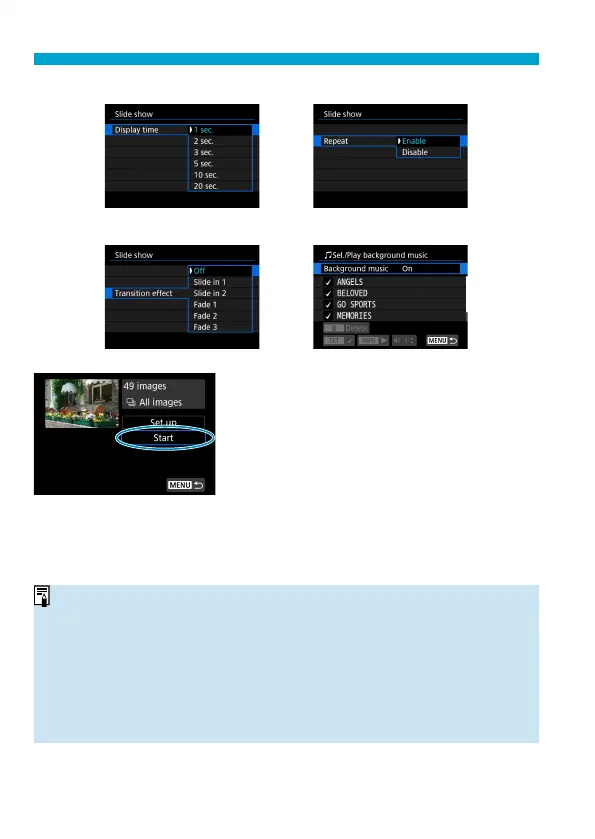
Display time Repeat
Transition eff ect Background music
4
Start the slide show.
Select [Start].
After [Loading image...] is displayed,
the slide show will start.
5
Exit the slide show.
To exit the slide show and return to
the setting screen, press the <
M
>
button.
o
To pause the slide show, press <
0
>. During pause, [
G
] will be displayed on
the upper left of the image. Press <
0
> again to resume the slide show.
o
During the automatic playback of still photos, you can press the <
B
>
button to switch the display format (
=
332).
o
Volume during movie playback can be adjusted by turning the <
W
> <
X
> keys.
o
During auto playback or pause, you can turn the <
5
> dial to view another
image.
o
During auto playback, auto power off
will not take eff ect.
o
The display time may diff
er depending on the image.



 To Next Page