463
Wi-Fi Connection via Access Points
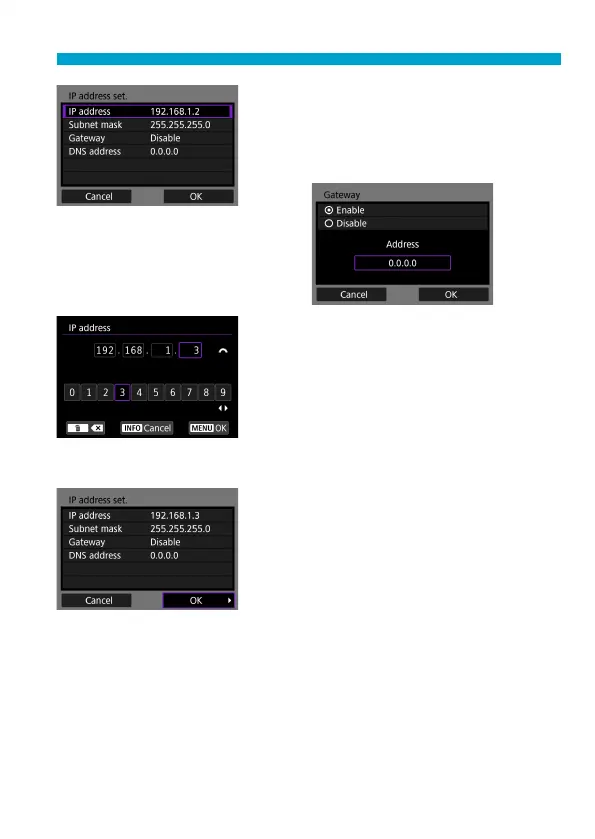
2
Select an item.
Select an item to access the screen for
numerical input.
To use a gateway, select [Enable], then
select [Address].
3
Enter the desired values.
Turn the <
6
> dial to move the input
position in the upper area and use the
<
Y
> <
Z
> keys to select the number.
Press <
0
> to enter the selected
number.
To set the entered values and return to
the screen for step 2, press the <
M
>
button.
4
Select [OK].
When you have completed setting the
necessary items, select [OK].
If you are not sure what to enter, see
“Checking Network Settings” (
=
497),
or ask the network administrator or
another person knowledgeable about
the network.



 To Next Page