49
Inserting and Removing the Card
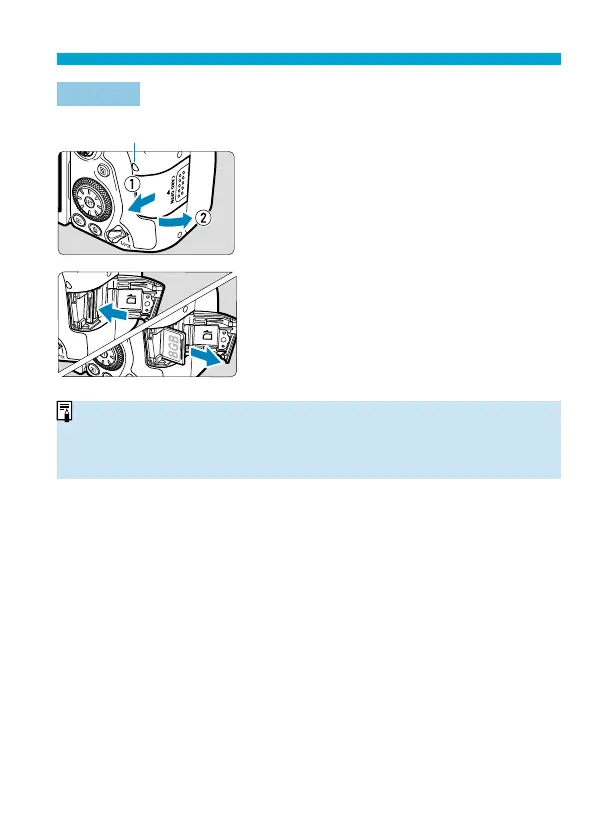
Removal
(1)
1
Open the cover.
Set the power switch to <
2
>.
Check that the access lamp (1) is off ,
then open the cover.
If [Saving...] is displayed on the screen,
close the cover.
2
Remove the card.
Gently push in the card, then let it go to
eject.
Pull the card straight out, then close the
cover.
o
The number of possible shots varies depending on the remaining capacity of
the card, the settings of image quality, ISO speed, etc.
o
Setting [
z
: Release shutter without card] to [Disable] will prevent you from
forgetting to insert a card (
=
205).



 To Next Page