Editing RAW Images
1-25
1
Displaying Thumbnail Images and Performing Basic Edits in the Main Window
Specifying the Color Temperature
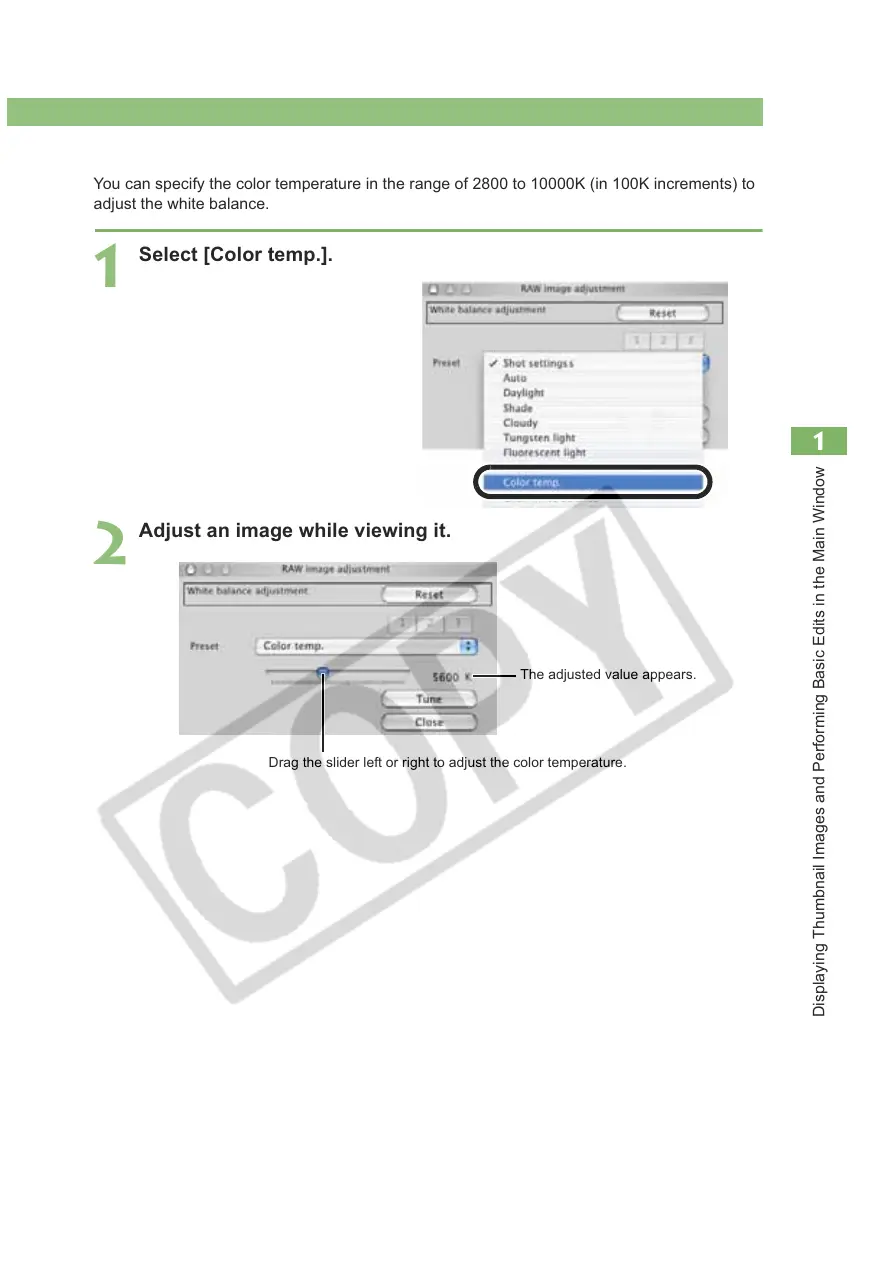
You can specify the color temperature in the range of 2800 to 10000K (in 100K increments) to
adjust the white balance.
1
Select [Color temp.].
2
Adjust an image while viewing it.
Drag the slider left or right to adjust the color temperature.
The adjusted value appears.














 To Next Page