Displaying the Edit Image Window
3-4
Menu Bar
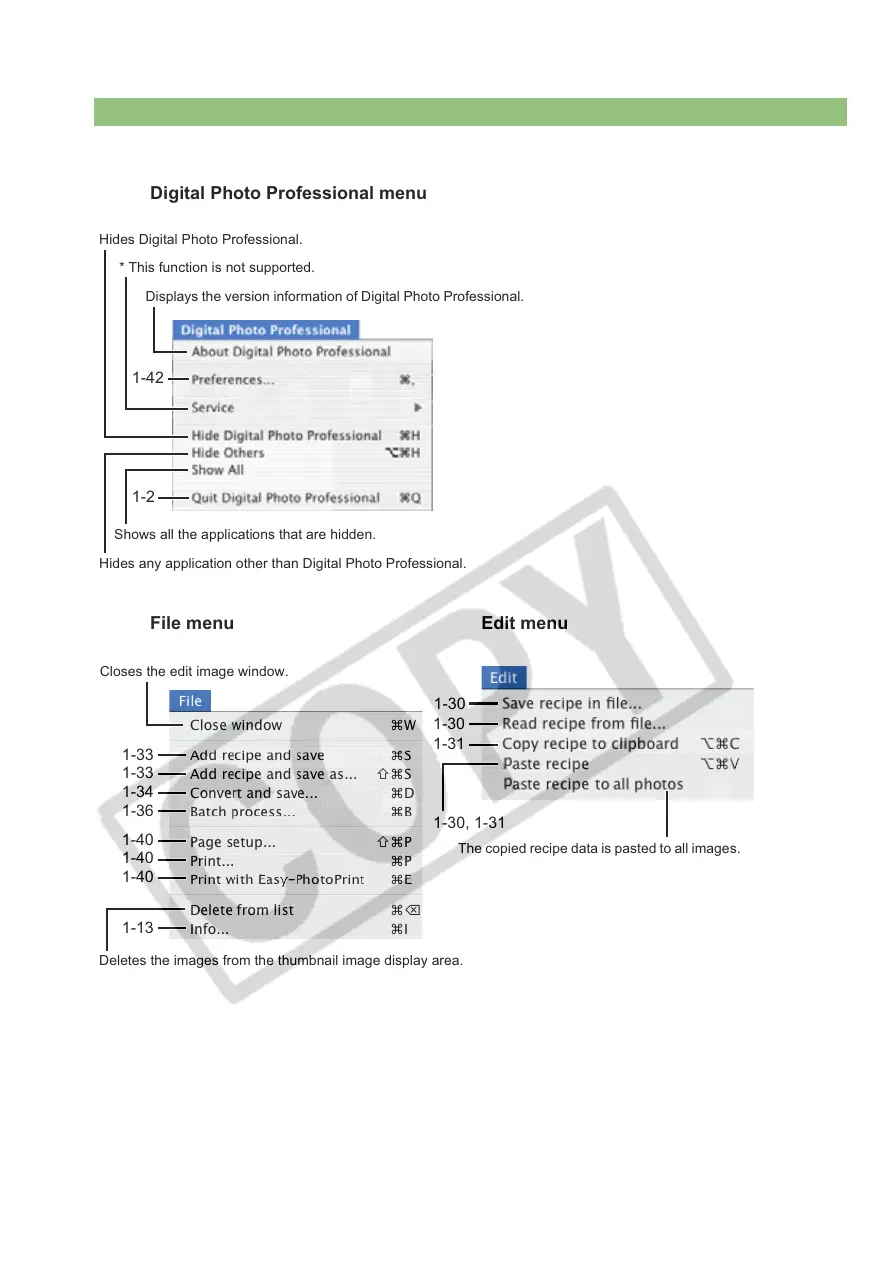
The copied recipe data is pasted to all images.
1-30
1-31
1-30, 1-31
1-30
1-33
Closes the edit image window.
1-33
Deletes the images from the thumbnail image display area.
1-34
1-36
1-42
Digital Photo Professional menu
Hides Digital Photo Professional.
* This function is not supported.
Displays the version information of Digital Photo Professional.
Shows all the applications that are hidden.
Hides any application other than Digital Photo Professional.
1-2
File menu Edit menu
1-13
1-40
1-40
1-40














 To Next Page