7
Operation Flow
This section describes typical methods of operating Digital Photo Professional.
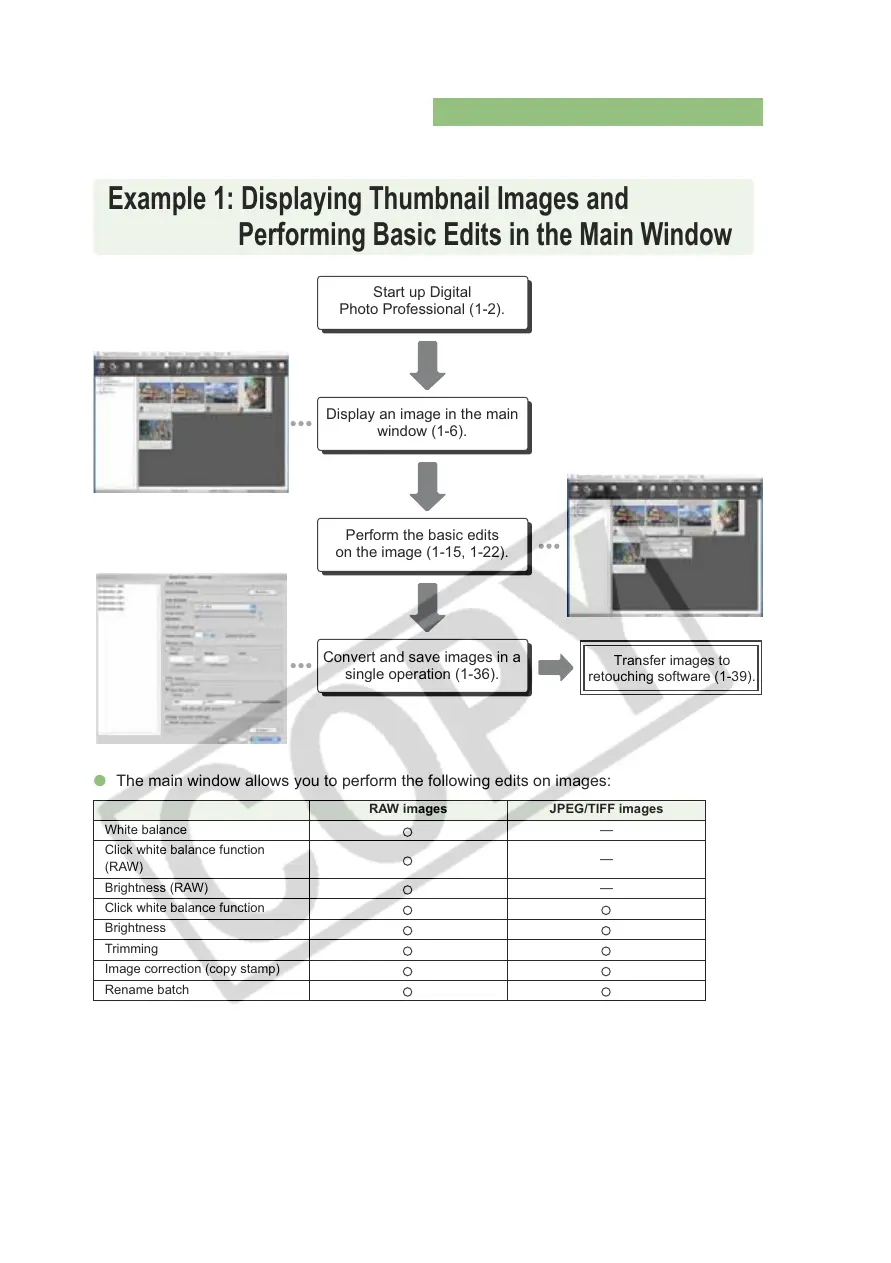
O The main window allows you to perform the following edits on images:
RAW images JPEG/TIFF images
White balance —
Click white balance function
(RAW)
—
Brightness (RAW) —
Click white balance function
Brightness
Trimming
Image correction (copy stamp)
Rename batch
Example 1: Displaying Thumbnail Images and
Performing Basic Edits in the Main Window
Start up Digital
Photo Professional (1-2).
Display an image in the main
window (1-6).
Perform the basic edits
on the image (1-15, 1-22).
Convert and save images in a
single operation (1-36).
Transfer images to
retouching software (1-39).














 To Next Page