6
Main Features and Structure
Digital Photo Professional is software dedicated for Canon digital camera images that has high-
speed processing/editing functions, which meet the needs of professional or high-end amateur users
who mainly shoot RAW images. This software allows you to perform the following edits on images.
O
High-speed displaying/processing RAW images with Canon’s own high-performance algorithm.
O Switching among the main window (displayed as thumbnails), the edit window, and the edit
image window to match the purposes of editing.
O Real-time adjustments of images for satisfying professional digital workflow.
RAW images: White balance, Brightness, Dynamic range, and Color adjustment
RAW, RGB images (JPEG, TIFF images): Tone curve, Brightness, and Color adjustment,
Trimming and Image correction (copy stamp)
O
Supports a Color Management System.
O
Supports color space of sRGB, Adobe RGB, and Wide Gamut RGB.
O
Effectively converting and saving multiple RAW images in a single operation (batch-processing).
O
Includes a comparison mode that allows you to adjust an image while comparing an edited image
with the original in the same window.
O
Editing multiple images while comparing each of them.
O
Saving and applying recipe data (the edit data from multiple functions).
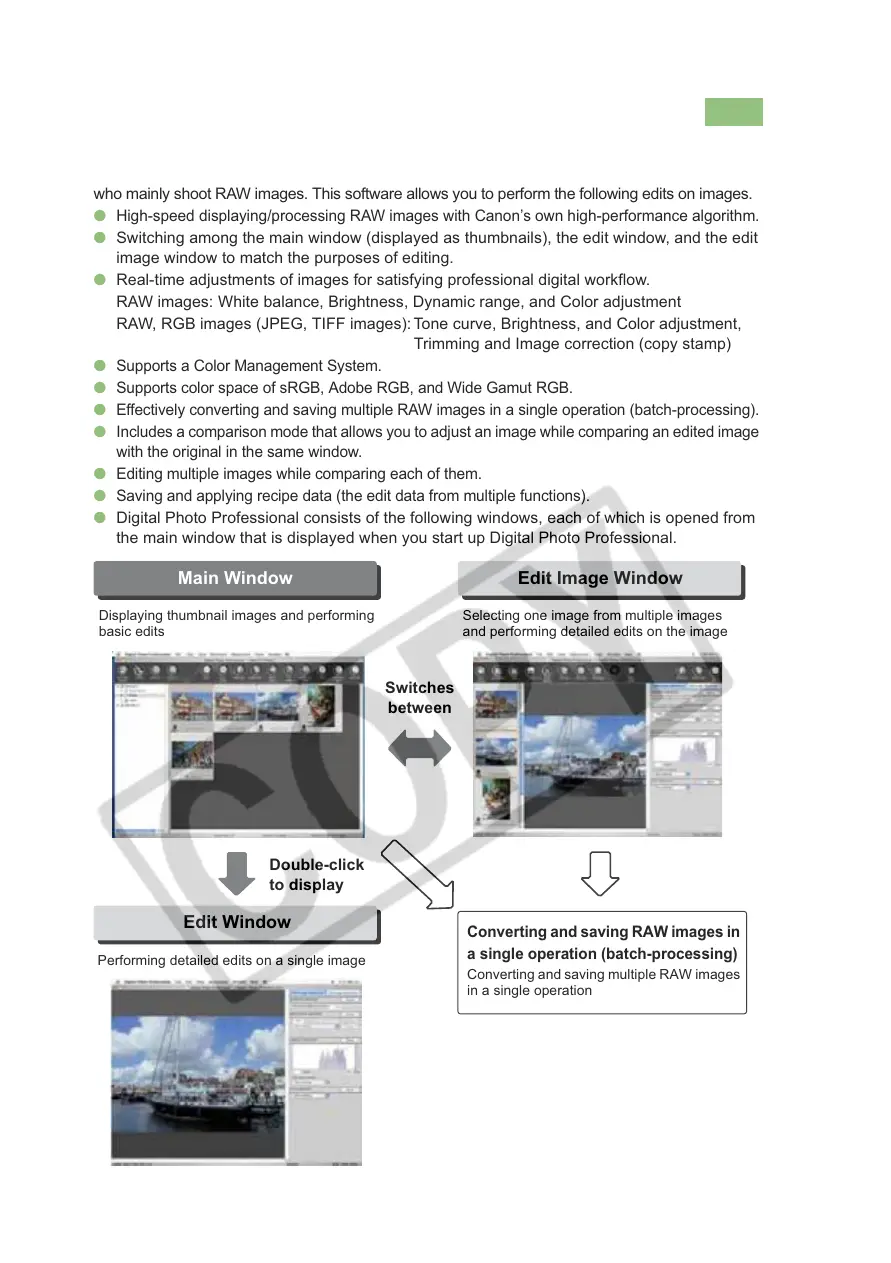
O Digital Photo Professional consists of the following windows, each of which is opened from
the main window that is displayed when you start up Digital Photo Professional.
Edit Window
Edit Image WindowMain Window
Displaying thumbnail images and performing
basic edits
Selecting one image from multiple images
and performing detailed edits on the image
Converting and saving RAW images in
a single operation (batch-processing)
Converting and saving multiple RAW images
in a single operation
Performing detailed edits on a single image
Switches
between
Double-click
to display














 To Next Page