Saving Edited Images
1-34
You can convert edited RAW images to the TIFF or JPEG and save them with another name.
1
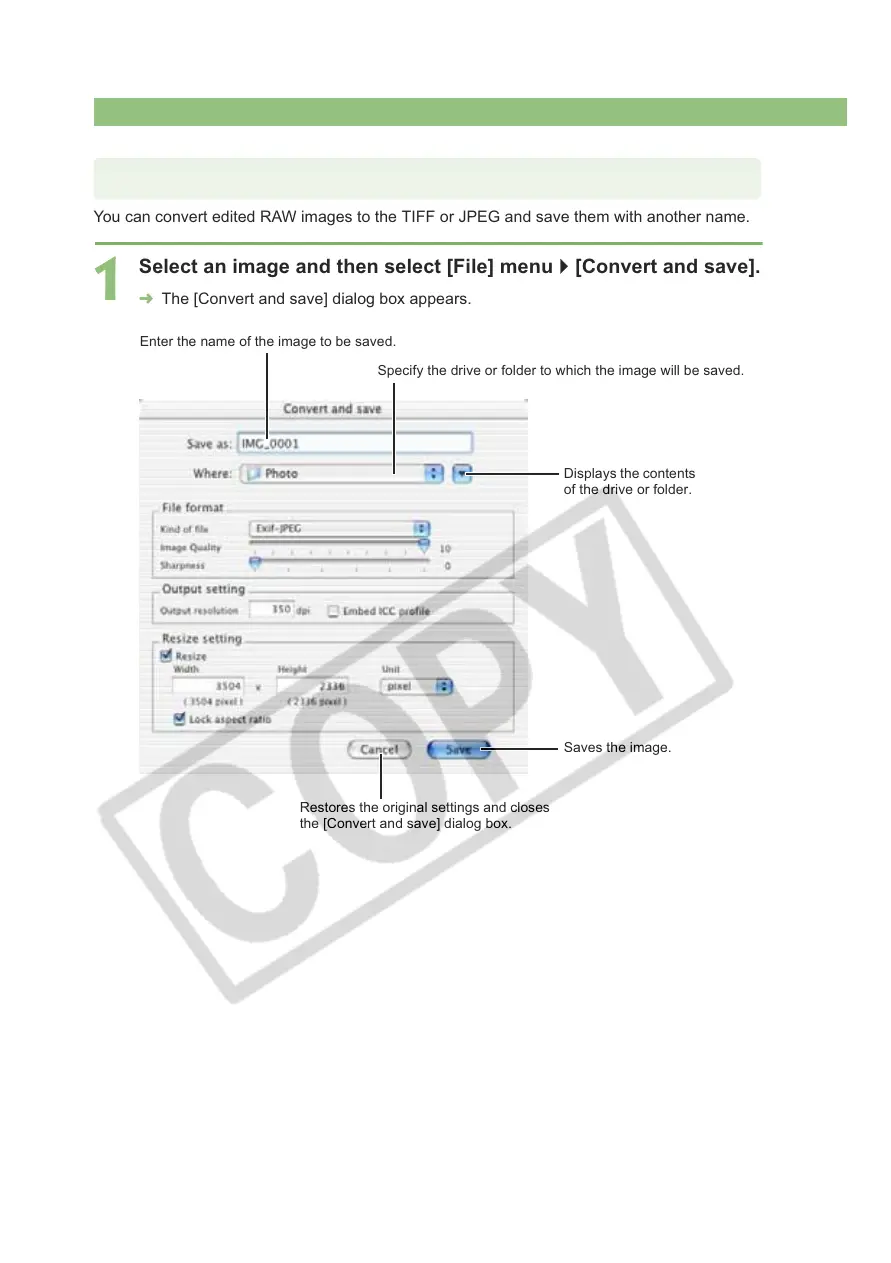
Select an image and then select [File] menu ` [Convert and save].
¿ The [Convert and save] dialog box appears.
Converting and Saving RAW Images while Renaming Them
Enter the name of the image to be saved.
Specify the drive or folder to which the image will be saved.
Restores the original settings and closes
the [Convert and save] dialog box.
Displays the contents
of the drive or folder.
Saves the image.














 To Next Page