Displaying the Edit Image Window
3-5
3
Performing Detailed Edits in the Edit Image Window
For the shortcut key list, see 4-6.
Tools menu
View menu
2-5
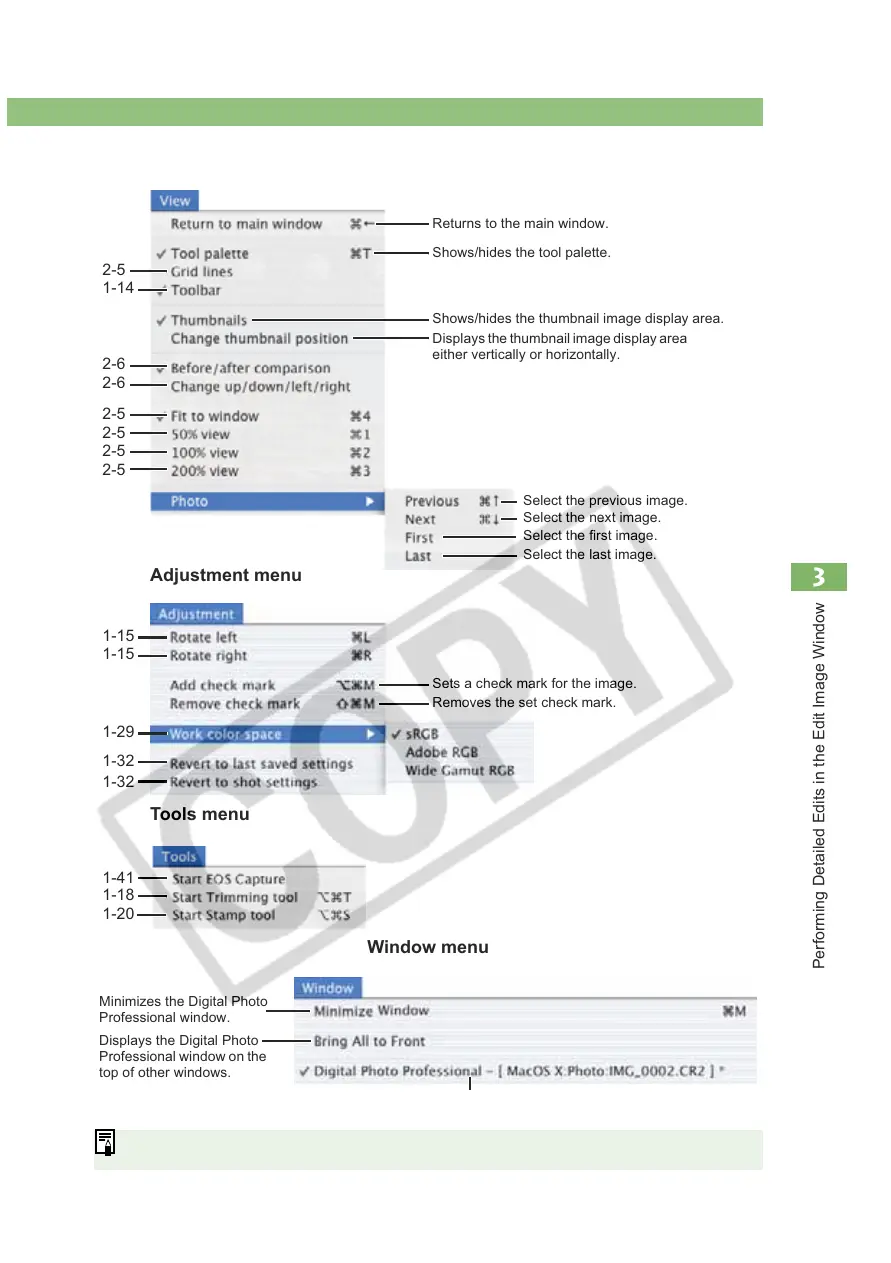
Select the previous image.
Adjustment menu
1-14
2-6
2-6
2-5
2-5
2-5
2-5
Returns to the main window.
Window menu
Minimizes the Digital Photo
Professional window.
Displays the Digital Photo
Professional window on the
top of other windows.
Displays the path of the displayed images.
Shows/hides the thumbnail image display area.
Displays the thumbnail image display area
either vertically or horizontally.
Select the next image.
Select the first image.
Select the last image.
1-29
1-32
1-32
1-15
1-15
Sets a check mark for the image.
Removes the set check mark.
1-41
1-18
Shows/hides the tool palette.
1-20














 To Next Page