4- 26
Replacing the Printhead
TOP
Chapter 3
Printing Methods for
Different Objectives
Chapter 4
Maintaining the
Printer
Chapter 5
Using the Printer in a
Network Environ-
ment
Chapter 6
Troubleshooting
Chapter 7
Operation of the
Function Menus
Index
Contents
Chapter 2
Using a Variety of
Media
Chapter 1
Basic Procedures
9
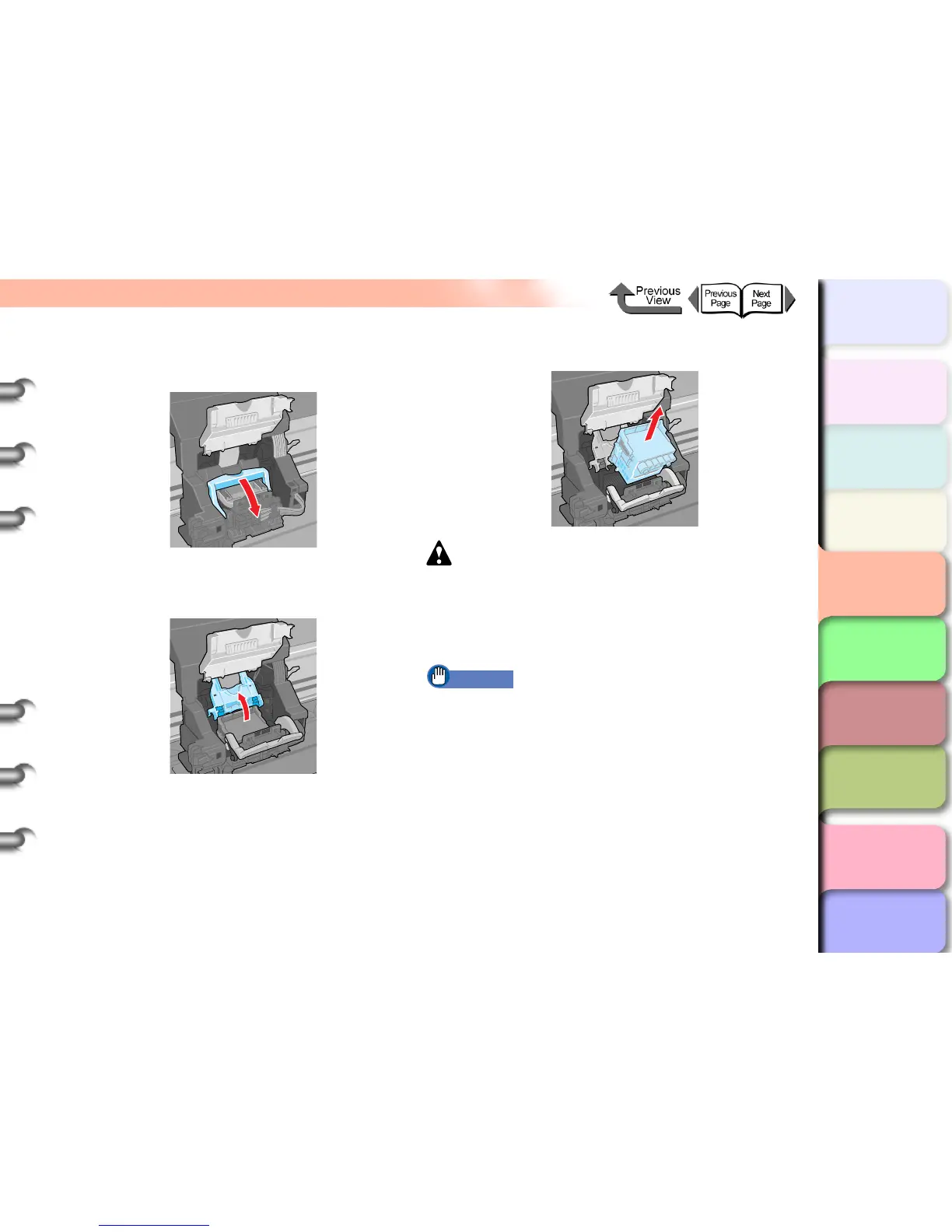
Pull the printhead lock lever completely
forward to open it.
10
Raise the printhead lock cover completely to
open it.
11
Remove the old printhead.
Caution
z If you are going to replace the printhead immediately
after printing, wait a few minutes before performing the
replacement. The metal components of the printhead
may be hot immediately after printing, and touching
these parts could cause a minor burn.
Important
z Never touch the carriage terminal. This could damage
the printer.


 To Next Page
 Loading...