Troubleshooting Guide
3-42
Cause Point to check Action
C1
The main unit won’t turn on, or the main unit starts but the power turns off
automatically.
Flow 1
C2 Start the main unit with the head being removed. Replace the head.
24. Operational Failures ② The main unit won’t start or the
power turns off automatically (without an error occurring)
Faulty operation panel (and cable)
Faulty PCB (and cable)
Electrical faults C1
Faulty main controller (and cable)
Failure
causes
Faulty printhead C2 Faulty printhead
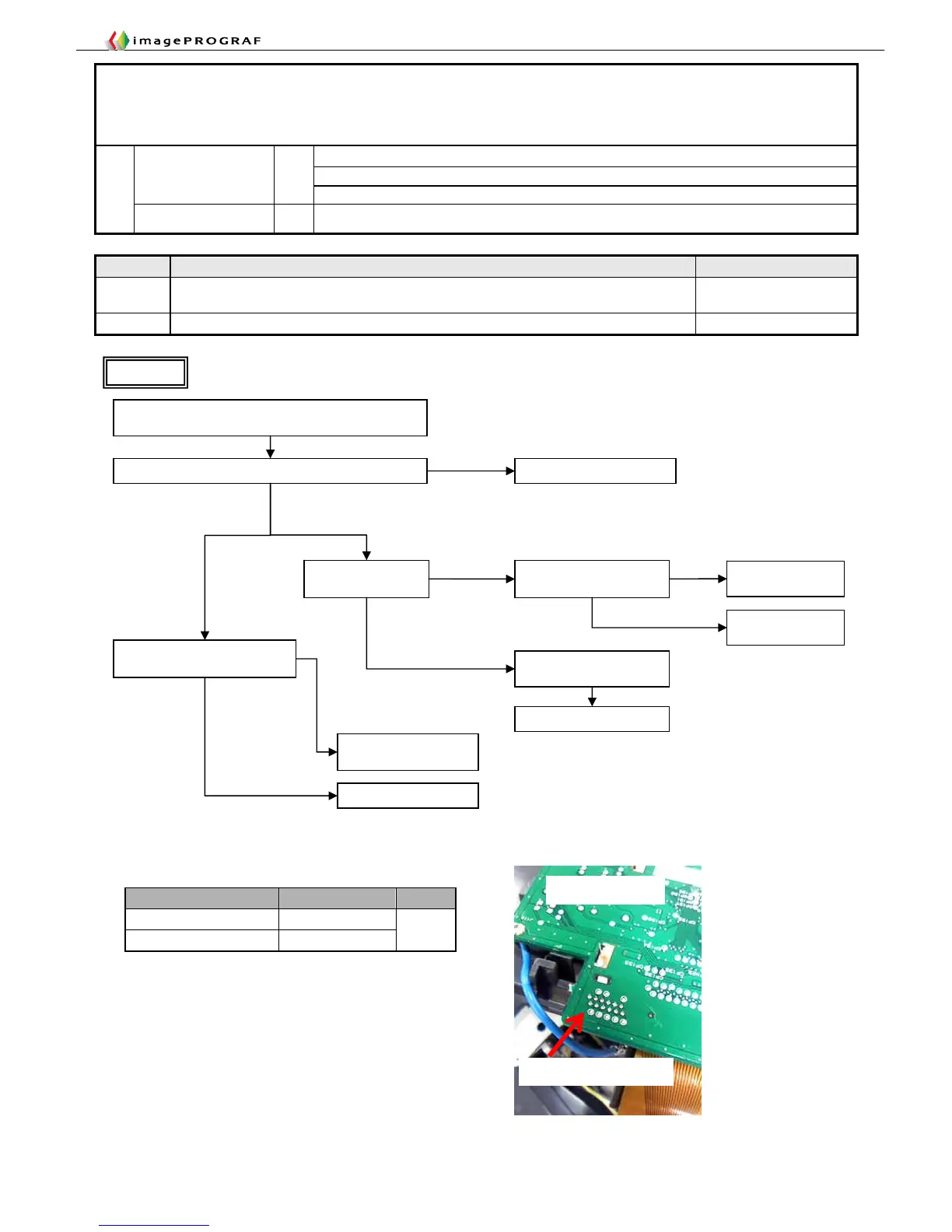
Check for cable contact between the operation panel PCB
and the main controller
Flow 1
Is 5V power available to the operation panel? (See below)
Is the main controller
green LED on?
Other than the
iPF5000 Series
Replace the operation panel
Replace the power PCB
Replace the operation
panel cable
Normal
No
Check 26 V appear on pin 9
of main controller J1801
Replace the power
PCB
Replace the operation
panel cable
Check 5 V appear on pin 12 of
main controller J1801
Replace the main
controller
Normal
Abnormal
Off
On
Abnormal
iPF5000 Series
Replace the main controller
Yes
■Operation panel supply voltage check points
Model Measurement point Voltage
iPF5000 Series J1 pin 11
Other than iPF5000 Series J101 pin 11
+5V
J1 pin 11 on iPF5000 Series
Operation panel PCB














 To Next Page