Changing the Copy (Zoom) Ratio
3-17
3
Basic Copying and Mail Box Features
3
Press .
Copying starts.
NOTE
•
To cancel this setting, press [Copy Ratio]
➞
[Entire Image].
•
To cancel all settings and return the machine to the Standard mode, press .
Reducing/Enlarging Using the Original and Copy/Record
Sizes
The Zoom Programme mode enables you to reduce or enlarge originals by individually entering
the dimensions of the original and copy paper (record size).
The available copy ratios are from 25% to 400% when the original is placed on the platen glass,
and from 25% to 200% when the original placed in the feeder.
The following two Zoom Programme modes are available.
NOTE
The specified sizes are converted into a copy (zoom) ratio (%) by the machine using the formula below.
The result is rounded to the closest integer.
Copy (zoom) ratio (%) = (copy (record) size/original size) x 100
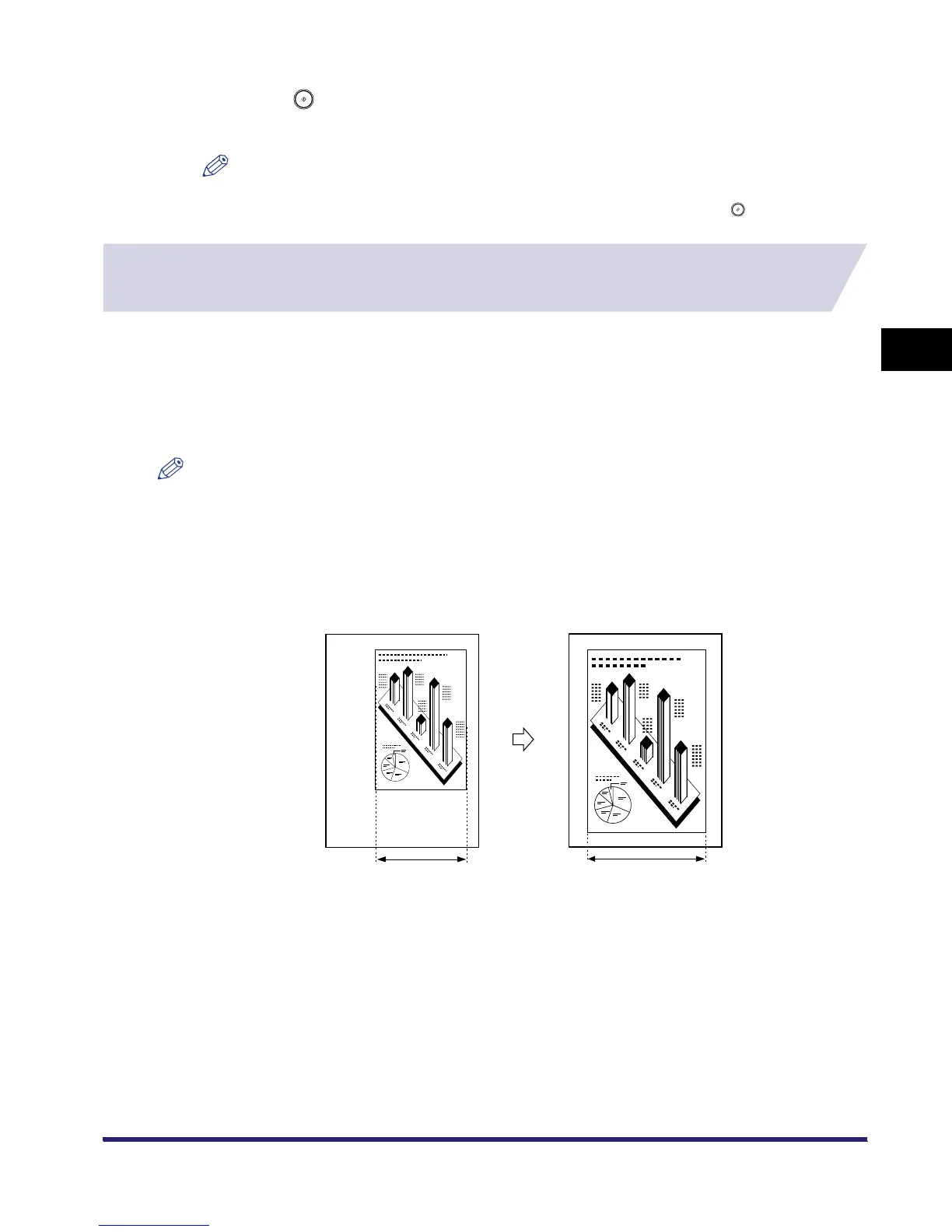
■ Making Copies (Scanning) with the Same XY Copy/Zoom Ratio (Zoom)
You can set the same copy (zoom) ratio for both the horizontal (X) and vertical (Y) axes.
Original Copy
X = 100 mm
A4A4
X = 150 mm



 To Next Page