Frame Erase
4-45
4
Special Copying and Mail Box Features
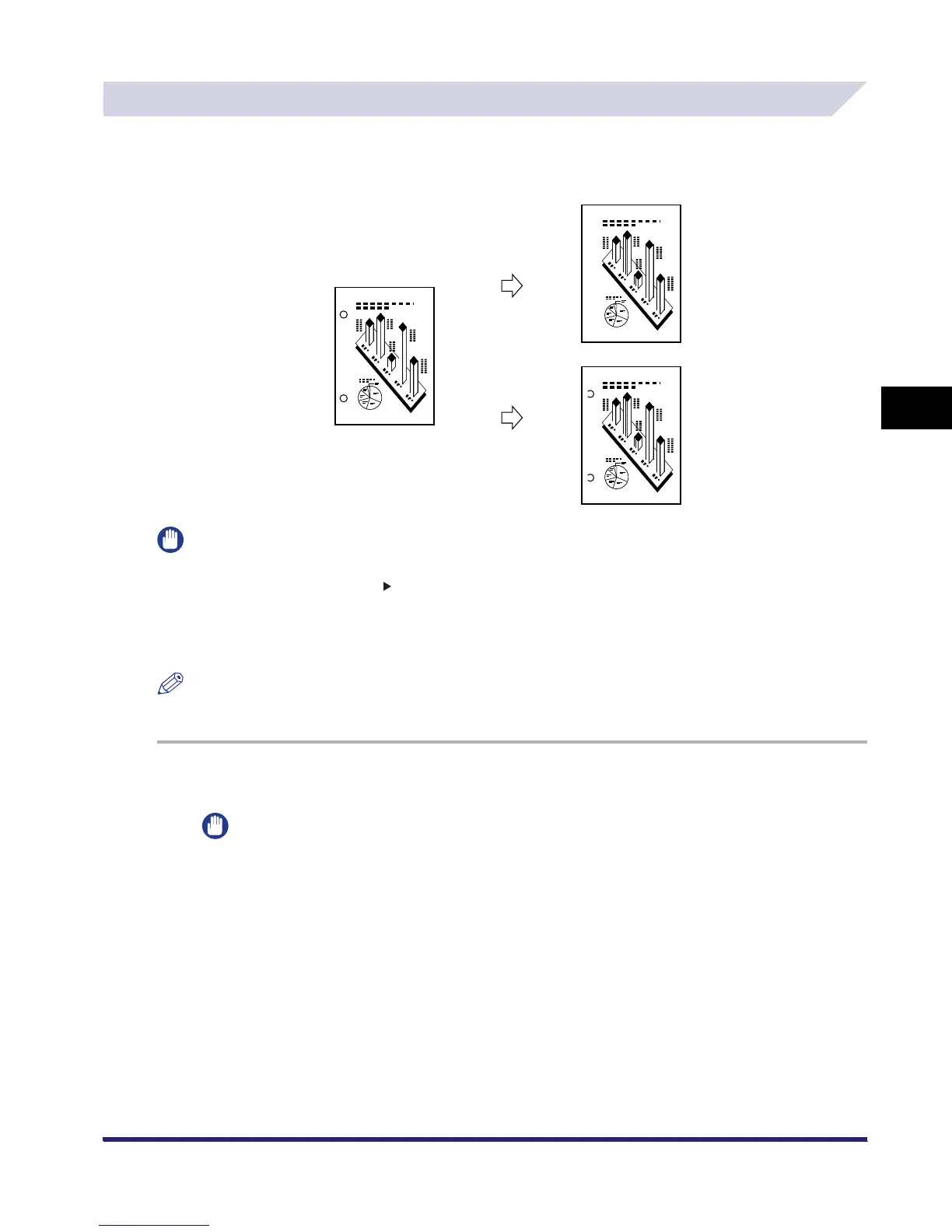
Binding Erase
This mode erases the shadows that appear on copies (scanned image) from binding holes on
originals.
IMPORTANT
•
The Binding Erase mode cannot be used with the following mode(s).
- Copy: Entire Image, Book 2-Sided, Two-page Separation, Image Repeat, Mirror Image
- Mail Box: Two-page Separation
•
Do not place originals with binding holes in the feeder, as this may damage the originals.
•
When using the Binding Erase mode, the borders you do not select are also erased by 4 mm.
NOTE
The procedure for storing documents in an inbox is the same as for copying.
1
On the Special Features screen, press [Frame Erase].
IMPORTANT
Place your original on the platen glass.
Original
Binding Erase
Selected
Binding Erase
Not Selected
Copy
Copy


 To Next Page