Reserved Copying
1-31
1
Introduction to the Copying Functions
3
Press .
If you specify a reserved copy job while the machine is in the waiting state, copying
automatically begins when the machine is ready.
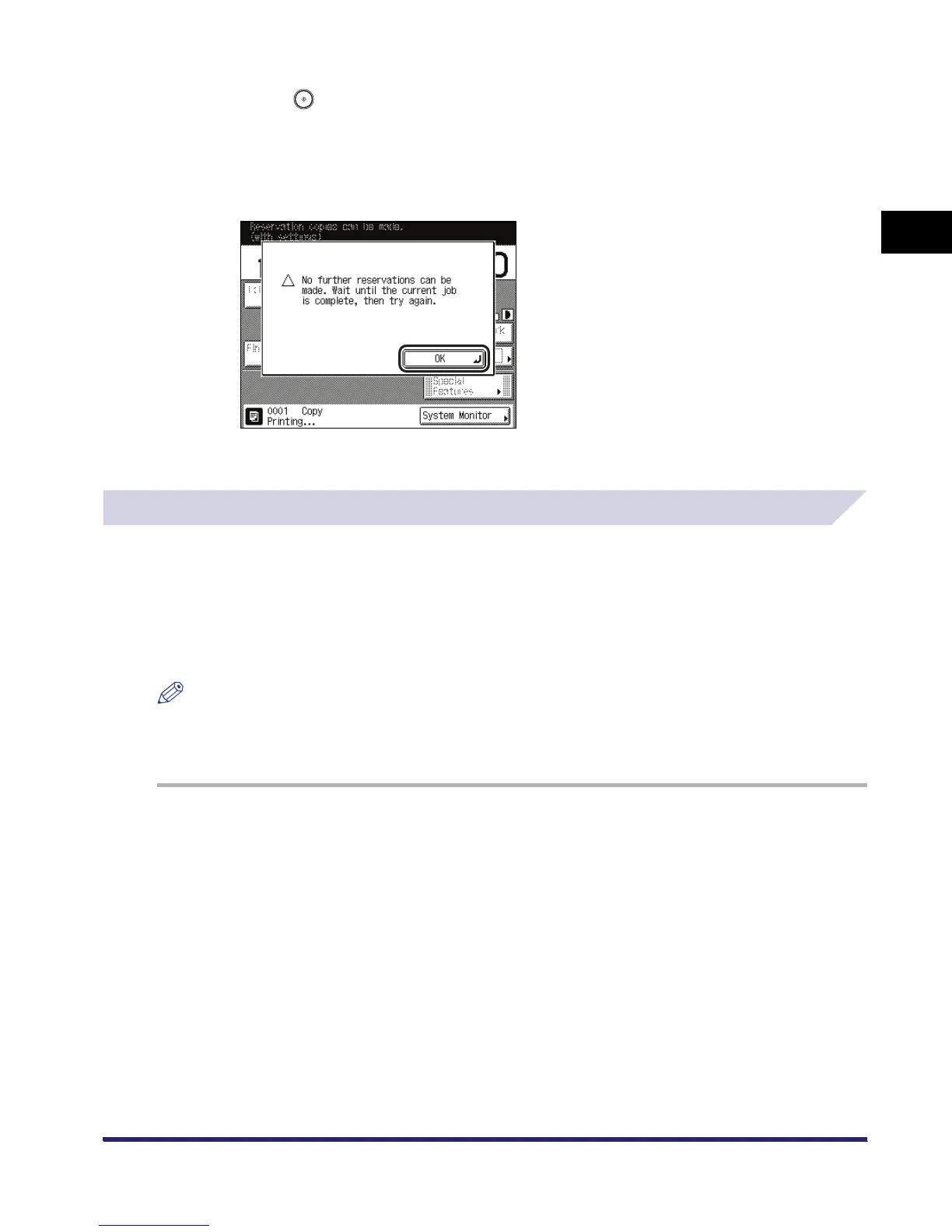
If you specify a reserved copy job while the machine is printing, copying of the new job
automatically begins when the current job is complete. If the following screen is displayed,
press [OK] ➞ try reserving the job again after the current job is complete.
Scanning starts.
Using the Stack Bypass
You can perform reserved copying from the stack bypass by specifying in advance the paper to
be loaded for the next job. However, this is possible only if paper is being fed from the stack
bypass for the current job.
The following example assumes that A3 plain paper is being fed from the stack bypass for the
current job, and that you are selecting A4 plain paper to be fed from the stack bypass for a
reserved job.
NOTE
If Stack Bypass Standard Settings in Common Settings (from the Additional Functions screen) is set to
'On', reserved copying can be performed only for the registered paper size and type. (See Chapter 4,
"Customizing Settings," in the Reference Guide.)
1
Place your originals ➞ set the desired copy modes.



 To Next Page