Adjusting the Contrast
4-59
4
Special Copying and Mail Box Features
Adjusting the Contrast
This mode enables you to scan and record, or make copies of the originals with a sharper or
softer contrast. To reproduce text or lines with a sharper contrast, use [High] as the setting. To
scan/copy originals containing printed photographs or other halftones with a softer contrast, use
[Low] as the setting.
NOTE
The procedure for storing documents in an inbox is the same as for copying.
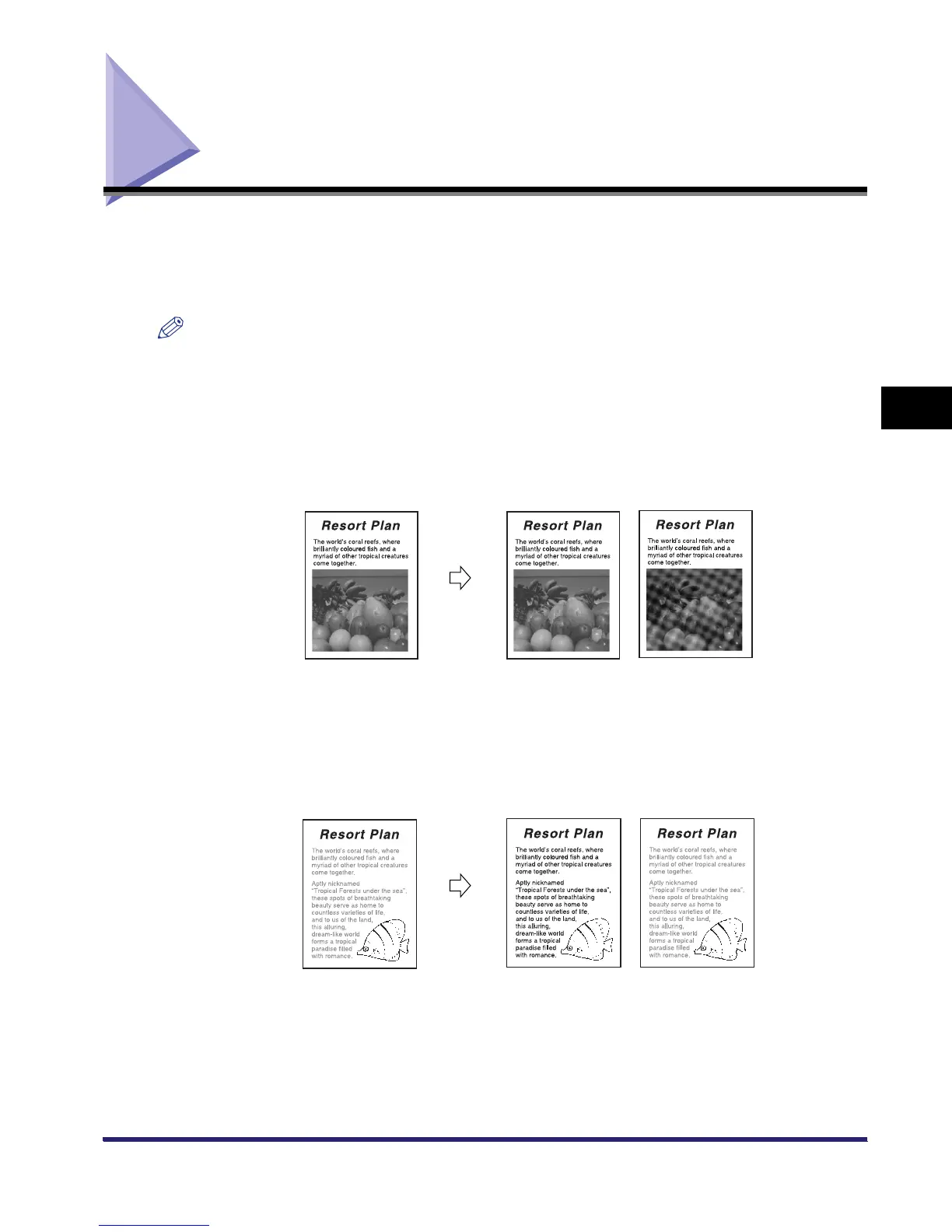
■ Low
If you make copies, or scan an original containing halftones, such as a printed photograph, using the
Photo mode, the moiré effect (a shimmering, wavy pattern) may occur. However, you can lessen this
moiré effect by using [Low] as the setting to produce a clearer copy (image).
■ High
This setting enhances the edges of original images so that faint or fine text is reproduced with a sharper
contrast. This setting is particularly suited to scanning and copying blueprints and faint pencil drawn
images.
Original
Copy
Low Set Low Not Set
Original
Copy
High Set High Not Set



 To Next Page