Changing the Copy (Zoom) Ratio
3-26
3
Basic Copying and Mail Box Features
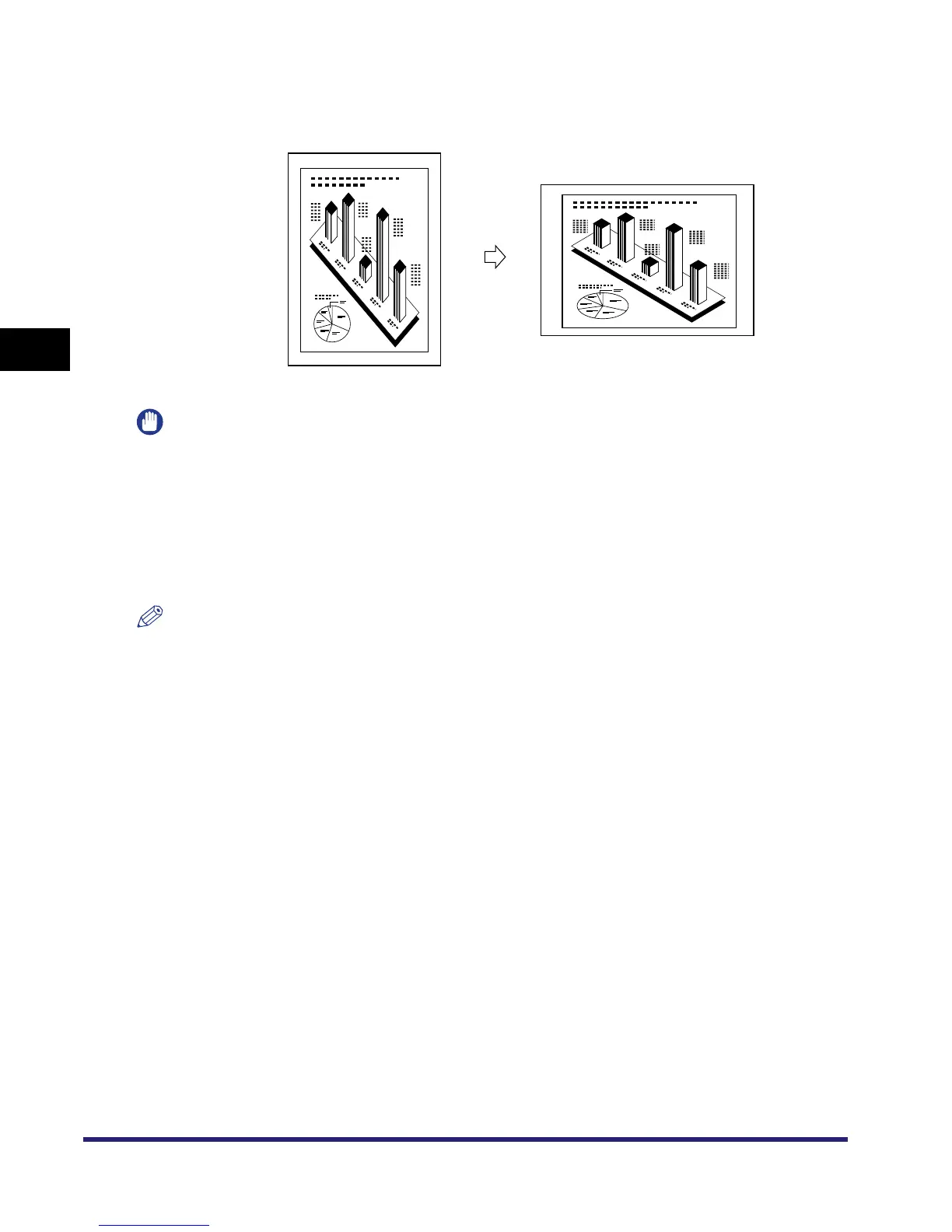
■ Automatically Specifying the Copy Ratio (Auto XY Zoom)
The XY copy ratio is automatically set to suit the size of the selected paper.
IMPORTANT
•
The Auto XY Zoom mode cannot be used with the following mode(s).
- Copy: Automatic Paper Selection, Image Repeat (Auto)
•
You cannot copy highly transparent originals, such as transparencies, in the Auto XY Zoom mode.
Manually specify the copy (zoom) ratio for these types of originals.
•
If you set the Auto XY Zoom mode, select the paper size using the Manual Paper Selection mode. If you
do not select a paper size, paper drawer 1 is automatically selected and the copy (zoom) ratio is set to
match the size of the paper loaded in that drawer.
•
If you set the copy (zoom) ratio in the Auto XY Zoom mode, Auto Orientation is not performed.
NOTE
•
The Auto XY Zoom mode is available for the Copy function only.
•
If you notice a difference between the copy (zoom) ratio and the actual print size, you can try to
eliminate this error by making a Zoom Fine Adjustment in Adjustment/Cleaning (from the Additional
Functions screen). (See Chapter 4, "Customizing Settings," in the Reference Guide.)
Original
Copy
A4R
A4
A4R
Selected


 To Next Page