What are Special Features?
4-7
4
Special Copying and Mail Box Features
2
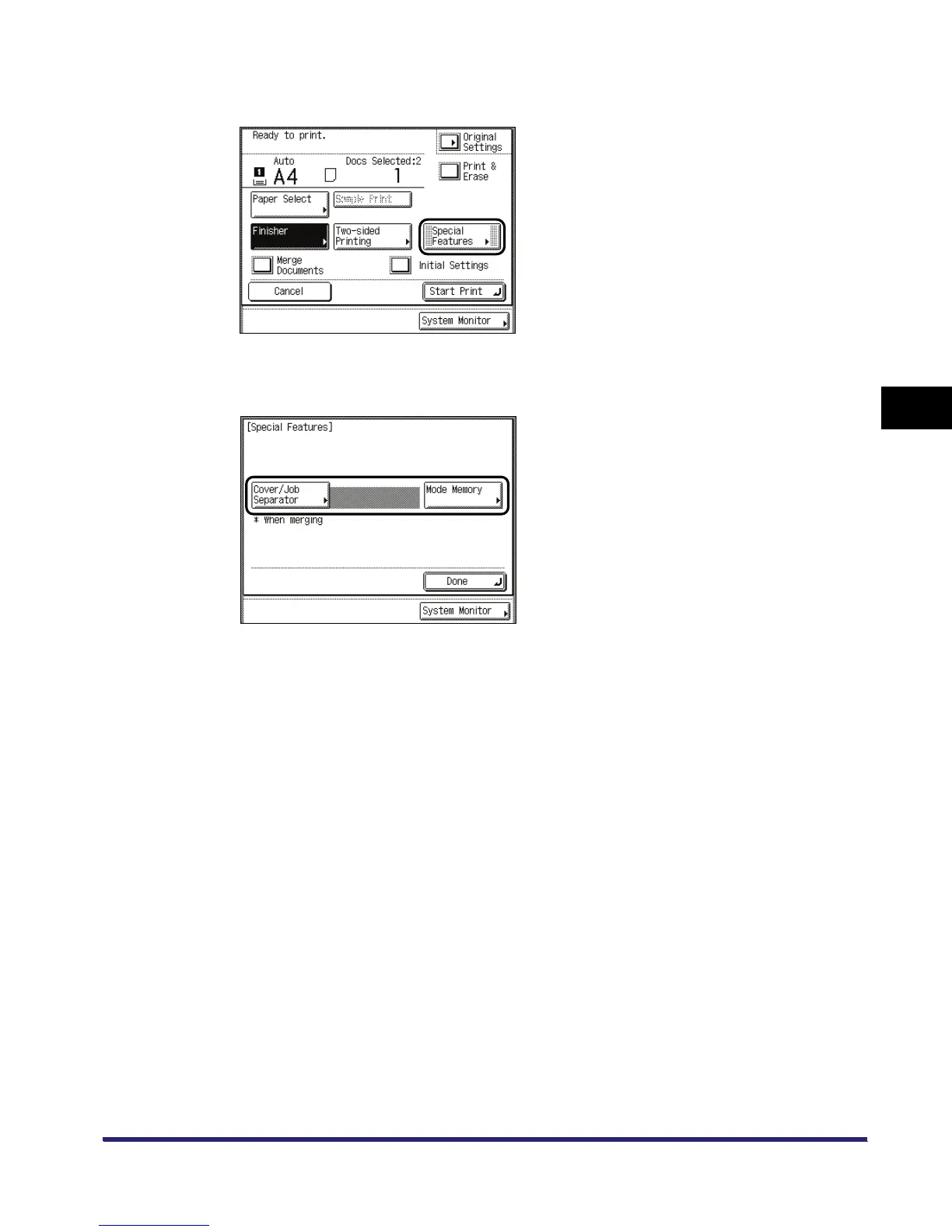
Press [Special Features].
3
Select the desired mode from the Special Features screen.
4
Set the desired mode.
For more information on setting each mode, see the corresponding section.
To set other modes at the same time, repeat steps 3 and 4.


 To Next Page