Frame Erase
4-47
4
Special Copying and Mail Box Features
4
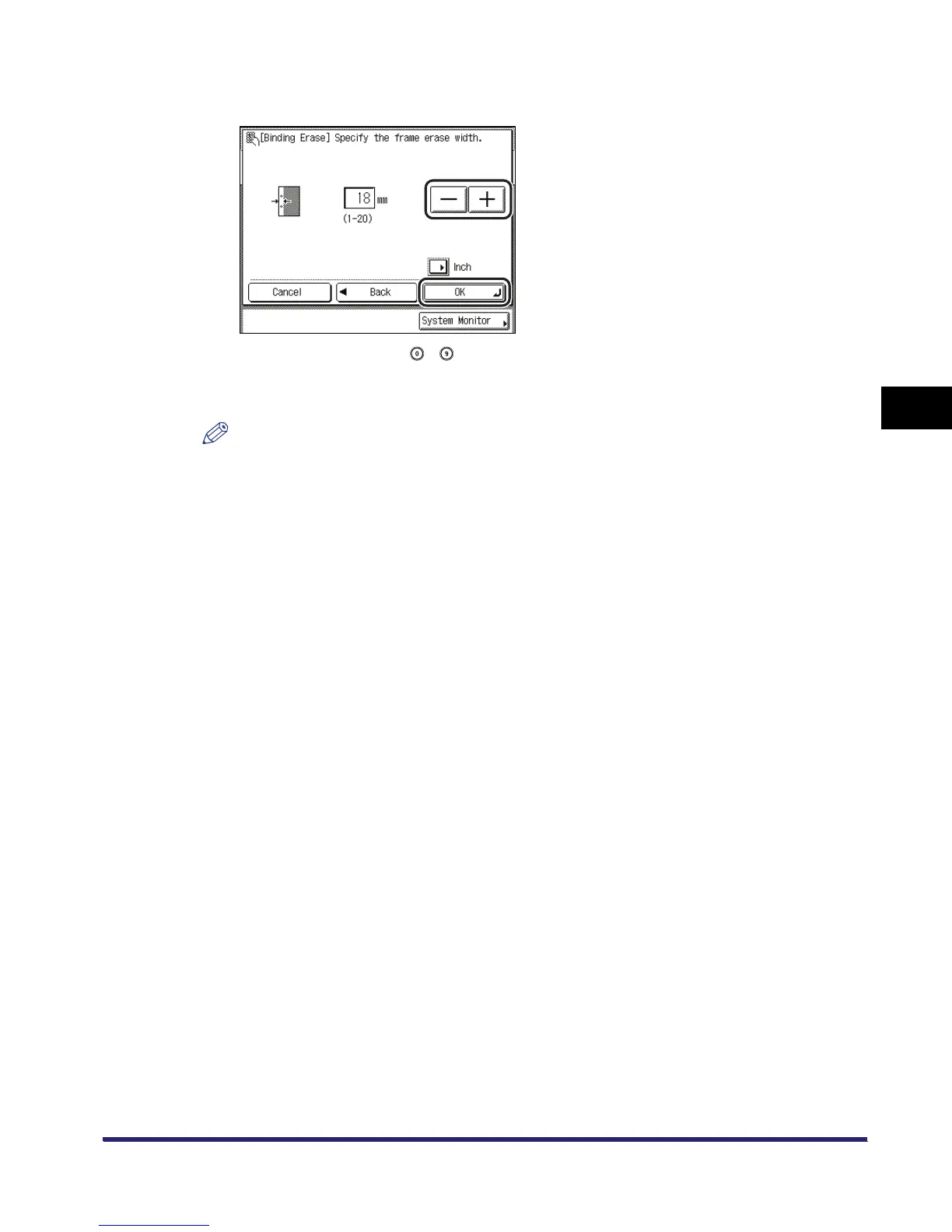
Press [-] or [+] to set the frame erase width ➞ press [OK].
If you enter a value using - (numeric keys) outside the setting range, a message
prompting you to enter an appropriate value appears on the screen.
The selected mode is set.
NOTE
•
The default setting is '18 mm'. The maximum binding erase width that you can set is '20 mm'.
•
For instructions on entering values in inches, see Chapter 2, "Basic Operations" in the Reference
Guide.


 To Next Page