What Are Additional Functions?
6-3
6
Customizing Settings
For an overview of all the settings you can change from the Additional Functions screen, see
"Copy Settings Table," on p. 6-4 and "Mail Box Settings Table," on p. 6-11.
NOTE
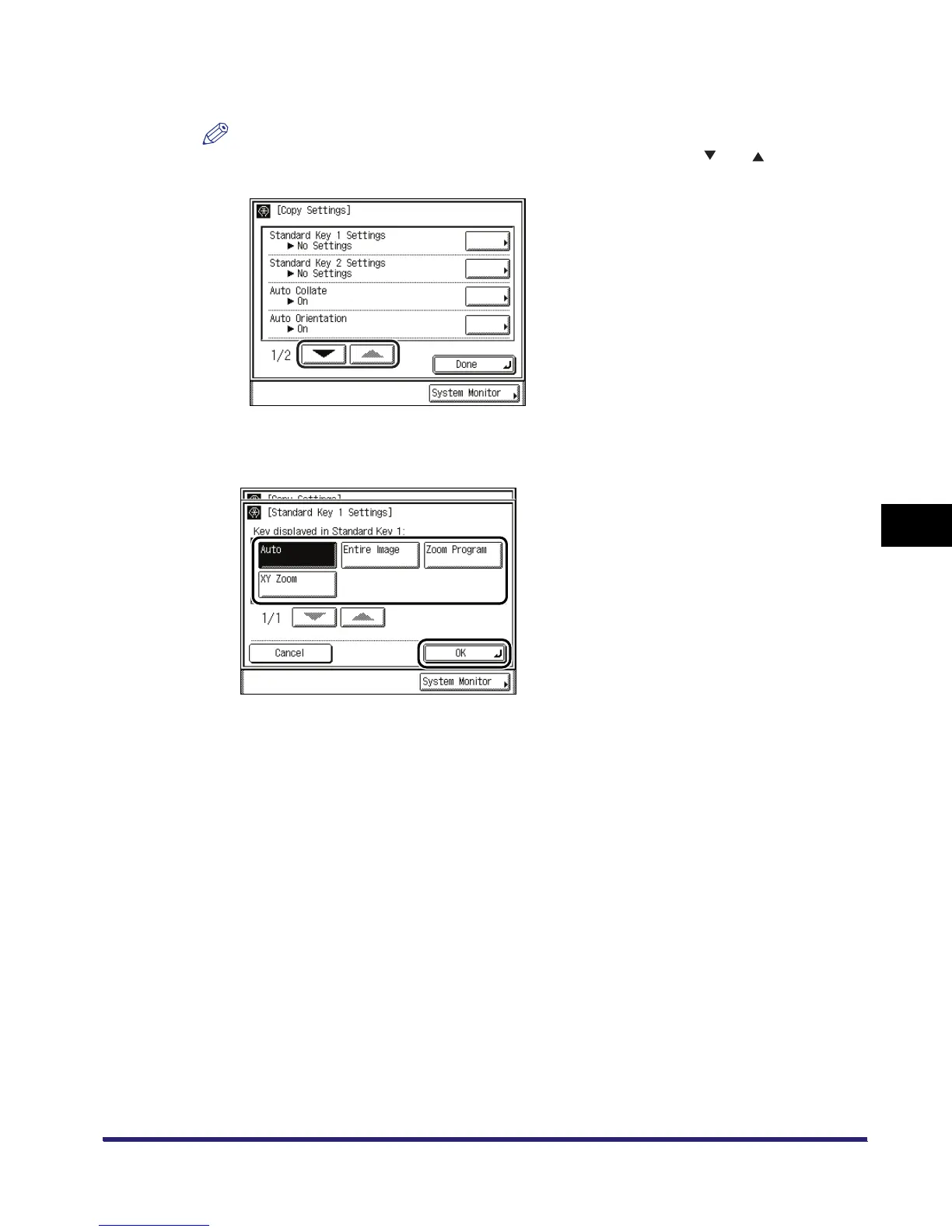
The Copy Settings screen consist of a list of individual settings. Press [ ] or [ ] to scroll to the
desired setting.
4
Specify the desired mode ➞ press [OK].
The selected mode is set.
5
Press [Done] repeatedly until the Basic Features screen appears.


 To Next Page