Sample Set
1-46
1
Introduction to the Copying Functions
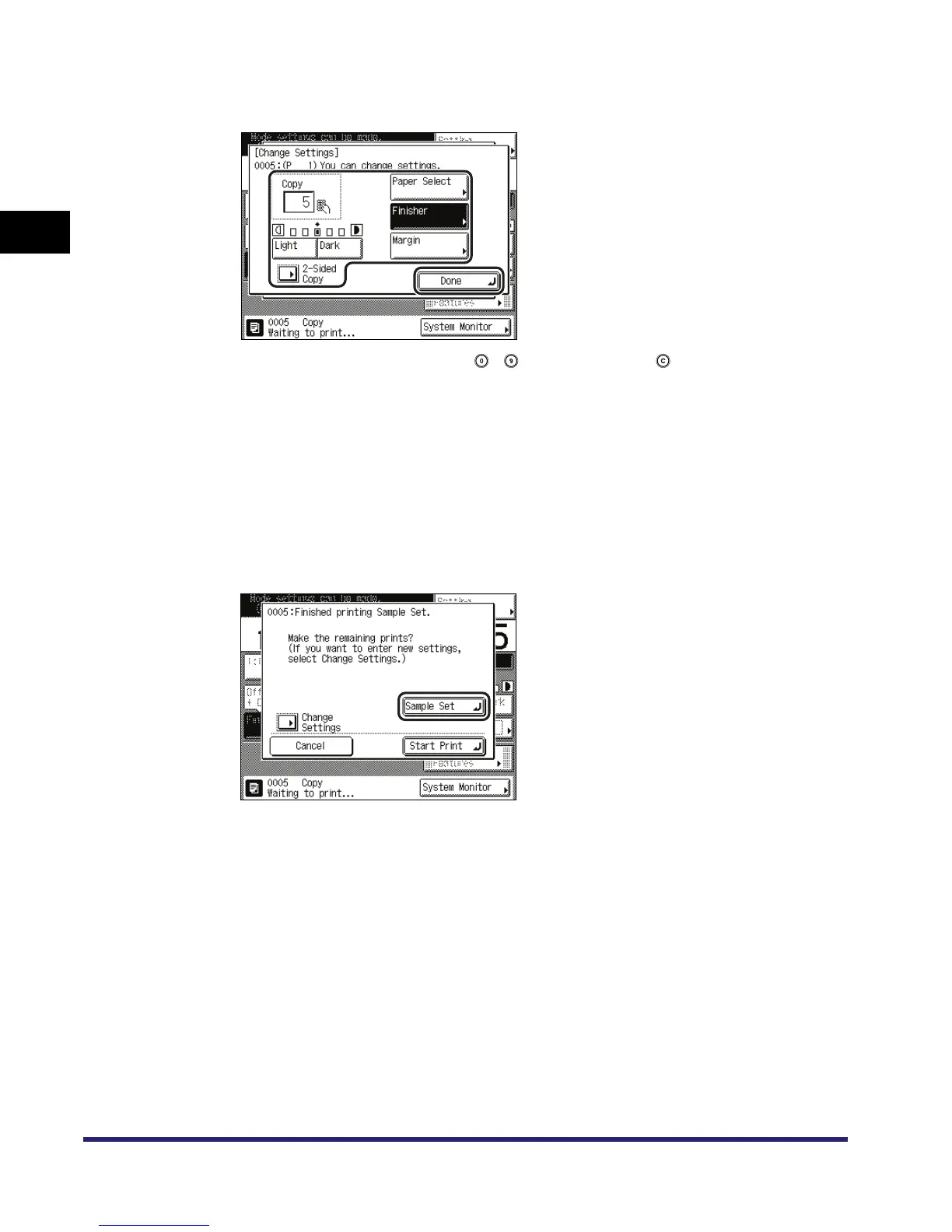
● To change the copy settings:
❑ Press [Change Settings] ➞ change the necessary settings ➞ press [Done].
To enter the number of copies, use - (numeric keys) and to clear your entry.
To change the exposure, press [Light] or [Dark]. (See "Manual Exposure Adjustment," on p.
3-2.)
To change the paper size, press [Paper Select]. (See "Paper Selection," on p. 1-17.)
To collate the copies, press [Finisher]. (See "Collating Copies/Prints," on p. 3-31.)
To set a margin for binding, press [Margin]. (See "Margin Mode," on p. 4-35.)
To make two-sided copies, press [2-Sided Copy]. (See "Two-Sided Copying/Printing," on p.
3-44.)
If you print one sample set and then change the setting, pressing [Sample Set] prints the
first set with the new setting.
If you want to check the changes that you have made, press [Sample Set] ➞ repeat step 3.



 To Next Page